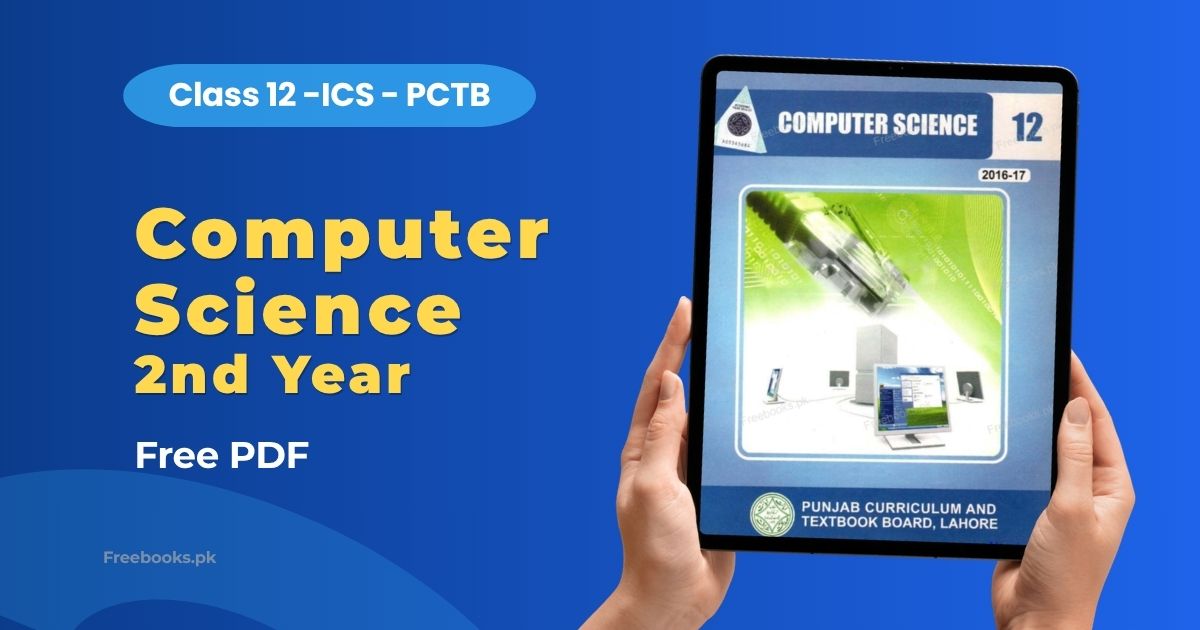
Computer Science 2nd Year (Class 12) is published by the Punjab Curriculum and Textbook Board (PCTB), Lahore. Approved by the Federal Ministry of Education, this book is the standard ICS Part 2 Computer Science textbook used in Punjab Board colleges. It covers fourteen chapters divided into two major sections: Database Management (with Microsoft Access) and C Programming.
For ICS Part 2 students, Computer Science is one of the most important subjects, and this book covers the complete board exam syllabus. The first seven chapters build database concepts from data basics through ER modelling, normalization, and practical Microsoft Access work with tables, queries, forms, and reports. The remaining seven chapters teach C programming from the first program through input/output, decision constructs, loops, functions, and file handling. The PDF makes it easy to revise both theory and practical concepts before the final board exam.
Book Overview
| Class | 12 (ICS Part 2 / Second Year) |
| Subject | Computer Science |
| Category | ICS |
| Board | Punjab Board (PCTB, Lahore) |
| Total Chapters | 14 |
| Total Pages | 258 |
| Format |
Chapter List
Chapter 1 – Data Basics
This chapter explains the fundamentals of data organization, starting with traditional file systems: records, files, and how files are classified by usage (master, transaction, backup files), by function (program vs. data files with extensions like .doc, .xls, .mdb), and by storage organization (sequential, direct/random, indexed sequential). It then introduces databases as computerized record-keeping systems built on four components – data, hardware, software, and personnel – and covers the three database objectives (integration, integrity, interdependence), the hierarchical, network, and relational data models, and finally DBMS objectives, advantages, disadvantages, and features like the data dictionary and query language (SQL).
Important Questions:
- What is the difference between a master file and a transaction file? A master file is a permanent, continuously updated file that holds long-term information, while a transaction file temporarily records data before it is used to update the master file.
- What are the three main objectives of using database organization? Data Integration, Data Integrity, and Data Interdependence – coordinating information from different files, keeping one consistent copy of data, and allowing data organization to change without reprogramming applications.
- How does the Relational data model differ from the Hierarchical and Network models? The Relational model consists of simple, independent files (relations) linked only through shared data content, with no fixed structural or pointer-based connections.
- What are two disadvantages of using a DBMS? A DBMS requires additional system overhead for even simple tasks, and staff need extra training to write efficient programs that run correctly under it.
Chapter 2 – Basic Concepts and Terminology of Databases
This chapter maps traditional file-system terms (field, record, file) onto relational database terminology (attribute/column, row/tuple, table/relation). It covers the four key properties of a relation – no duplicate rows, insignificant row/column order, and atomic attribute values – defines entities, views, and indexes, then details the types of keys: primary, secondary, candidate, composite, sort, and foreign, using PATIENT and PHYSICIAN table examples. It closes by distinguishing the roles of the end-user, Data Administrator, and Database Administrator.
Important Questions:
- What is an entity, and give an example. An entity is anything about which information is kept in a database, such as STUDENT, defined by attributes like STUD_NO, STUD_NAME, and STUD_ADDR.
- What is the difference between a primary key and a foreign key? A primary key uniquely identifies each row in its own table, while a foreign key is an attribute in one table whose values must match the primary key of another table.
- What are the four properties of a relation (table)? No duplicate rows, the order of rows is insignificant, the order of columns is insignificant, and all attributes must hold single, atomic values.
- What is the difference between a Data Administrator (DA) and a Database Administrator (DBA)? The DA develops functional requirements and standards for organizational data, while the DBA handles the technical design, implementation, security, and maintenance of the actual database.
Chapter 3 – Database Design Process
This chapter describes the analysis stage of database design – feasibility study, requirements analysis, project planning, and data analysis – followed by data modeling concepts: entities, attributes, relationships, cardinality, and modality, which combine to form an Entity-Relationship Diagram (ERD). It then explains the two-phase design process: conceptual/logical design (mapping ER diagrams to normalized relations) and physical design (data volume analysis, distribution strategy, file organization, indexes, and integrity constraints).
Important Questions:
- What is the difference between cardinality and modality in an ERD? Cardinality expresses how many occurrences of one entity relate to another, while modality defines whether that participation is optional or mandatory.
- What are the four data distribution strategies in physical database design? Centralized, Partitioned, Replicated, and Hybrid.
- What four steps map a conceptual data model to a logical data model? Representing entities as relations, representing relationships, merging redundant relations, and normalizing the relations.
- What are the three major inputs to physical database design? The logical database structures, user processing requirements (size, response time, security), and the characteristics of the DBMS and operating environment.
Chapter 4 – Data Integrity and Normalization
This chapter defines data integrity through entity integrity (no null primary key values) and referential integrity (foreign key values must match a primary key or be null). It introduces normalization as the process of removing redundancy based on functional dependency, addressing design errors like synonyms, homonyms, and redundant information, then walks through First, Second, and Third Normal Form using worked STUDENT and SALES table examples, explaining insertion, deletion, and modification anomalies at each stage.
Important Questions:
- What is the difference between entity integrity and referential integrity? Entity integrity requires that no primary key attribute contain nulls, while referential integrity requires a foreign key value to match a primary key value or be completely null.
- What is a transitive dependency, and why does it violate 3NF? It is a functional dependency between two non-key attributes; it violates 3NF because a non-key attribute must not depend on another non-key attribute.
- Give an example each of a synonym and a homonym error in database design. A synonym is when two different names refer to the same attribute, like Supplier_Id versus Supplier_Code. A homonym is the same name used for two different attributes, like Company_Name in both CUSTOMER and SUPPLIER tables.
- What is a partial functional dependency and what problem does it cause? It occurs when a non-key attribute depends on only part of a composite primary key, causing redundancy and insertion, deletion, and modification anomalies.
Chapter 5 – Introduction to Microsoft Access
This chapter introduces Microsoft Access as an easy-to-use Relational Database Management System that lets users build databases with tables, forms, queries, and reports through a graphical interface. It covers creating a database with or without the Database Wizard, the application window components, and the Database Window, before explaining the four major database objects: Tables, Queries, Forms, and Reports, along with what each one is used for.
Important Questions:
- What are the four major objects of a Microsoft Access database? Tables, Queries, Forms, and Reports.
- What is the key difference between a Form and a Report in Access? Forms are used to enter, edit, and view data, while Reports are used to present formatted, printable data without allowing edits.
- What is a query in Microsoft Access? A stored question or statement that extracts, filters, sorts, and can perform calculations on specific fields from one or more tables, with its output displayed as a table.
- List two benefits Microsoft Access offers. It includes sample databases and a Database Wizard to help users learn and build databases quickly, and it integrates with other Office applications like Word and Excel.
Chapter 6 – Table and Query
This chapter explains how tables, the foundation of a relational database, are created and modified in Microsoft Access using Design View, the Table Wizard, or entering data directly in Datasheet view. It covers field properties (Field Name, Data Type, Field Size, Format, Default Value, Validation Rules, Primary Key), modifying tables, table relationships and referential integrity, sorting and filtering, and the five query types – Select, Action (Delete, Update, Append), Crosstab, Parameter, and SQL queries – along with criteria and calculations such as Sum, Avg, Count, and Group By.
Important Questions:
- What are the three ways to create a table in Microsoft Access? In Design View, using the Table Wizard, or by entering data directly in Datasheet View.
- What is the difference between the degree and cardinality of a relation? The degree is the number of fields (columns) in a table, while the cardinality is the number of records (rows) in it.
- What is a parameter query? A query that, when run, displays its own dialog box prompting the user for information, and can also be used as the basis for forms and reports.
- What is referential integrity and how does it affect deleting records? It is a rule requiring every foreign key value to match a primary key value in the related table. When enforced, a record cannot be deleted or changed if matching records exist elsewhere, unless Cascade options are selected.
Chapter 7 – Microsoft Access – Forms and Reports
This chapter covers creating and customizing Access forms and reports. Forms provide a user interface for entering, viewing, and printing table data, built from controls like text boxes and labels. Four form types are introduced – columnar, tabular, main/subform, and datasheet – created through the Form Wizard or Design View. Reports present processed data from tables or queries in columnar or tabular layout via the Report Wizard, and the chapter closes with the Switchboard navigation tool and useful keyboard shortcuts.
Important Questions:
- What are the four types of forms created using the Form Wizard? Columnar, Tabular, Main/Subform, and Datasheet form.
- What is a subform and why is it used? A form placed inside a main form, used to display data from tables that have a one-to-many relationship, such as all orders related to one item.
- What is the difference between a columnar report and a tabular report? A columnar report lists the values of one record in a single column, while a tabular report displays a column for each field with each record shown in a row.
- What is a Switchboard in Microsoft Access? A navigation form, created using the Switchboard Manager, that appears when the database opens and lets users navigate to different parts of the database.
Chapter 8 – Getting Started with C
This chapter introduces C’s history and walks through the programming workflow: creating, saving, compiling, linking, and executing a program. It dissects the classic Hello World program to explain preprocessor directives, the main function, and statement syntax, and closes with the three error types – syntax, runtime, and logical – along with the distinction between low-level and high-level languages.
Important Questions:
- What are the three types of programming errors in C, and which is hardest to detect? Syntax, runtime, and logical errors. Logical errors are hardest to detect because the compiler cannot flag them and the program still runs, just producing wrong output.
- What is the difference between a compiler and a linker? The compiler translates the source program into an object file, while the linker combines that object file with library files to produce an executable file.
- What are the two parts of the Hello World program? The preprocessor directive that gives access to standard input/output functions, and the main function, whose body contains the executable statements.
- What does compiling and linking a C program actually produce? Compiling produces an object file, and linking combines it with required library files to produce the final executable (.exe) file.
Chapter 9 – Elements of C
This chapter covers C’s building blocks: identifiers, the reserved keywords, variable declaration and initialization syntax, and naming rules. It details numeric and character constants, the standard data types for integers, floating-point numbers, and characters (stored as ASCII codes), and introduces arithmetic, relational, logical, assignment, and increment/decrement operators, operator precedence, and the difference between integer and floating-point division.
Important Questions:
- What is the difference between declaring and defining a variable in C? Declaration tells the compiler a variable’s name and type without allocating memory, while definition sets aside memory for it.
- Why are characters like ‘2’ and ‘6’ added to give 104 instead of 8 when summed as char variables? Because characters are stored as ASCII codes, and the ASCII values of ‘2’ (50) and ‘6’ (54) are added rather than the digit values.
- What is the difference between the prefix and postfix forms of the increment operator? In the prefix form the variable is incremented first, then used; in the postfix form the current value is used first, then the variable is incremented.
- Why does 7/2 evaluate to 3 while 7.0/2.0 evaluates to 3.5? When both operands are integers, C performs integral division and truncates the fraction; involving a floating-point operand produces an accurate decimal result.
Chapter 10 – Input/Output
This chapter explains formatted output with printf() and formatted input with scanf(), covering format specifiers, field-width specifiers, and escape sequences like n and t, demonstrated through example programs such as calculating a square’s area. It explains that scanf requires the address-of operator (&) to store input into a variable’s memory location, and introduces the character-input functions getch() and getche() from conio.h.
Important Questions:
- Why must the ampersand (&) precede a variable name in a scanf statement? It is the address-of operator, telling scanf the memory address where the input value should be stored.
- What is the difference between getch() and getche()? Both read a single character without requiring Enter, but getche() echoes the typed character on screen while getch() does not.
- What does the format specifier %6.2f mean when used with printf? The value is displayed right-justified in a total field width of 6 columns, rounded to 2 decimal places.
- What is the purpose of the escape sequences n and t? n moves output to the start of the next line, while t inserts a tab space, used to format printed output.
Chapter 11 – Decision Constructs
This chapter covers C’s selection structures: the simple if statement, if-else, and nested if statements, followed by the if-else if ladder for multiple alternatives and how logical operators can simplify compound conditions. It introduces the switch statement with case labels, break, and default, the ternary conditional operator as a compact alternative to if-else, and closes with a case study program determining which quadrant a coordinate point falls on.
Important Questions:
- What is the difference between a sequence of if statements and an if-else if ladder? A plain sequence tests every condition even after a true one is found, while an if-else if ladder skips remaining conditions once one evaluates true, making it more efficient.
- What is the purpose of the break statement in a switch, and what happens if it is omitted? break exits the switch block once a matching case finishes; if omitted, execution falls through and continues into the following cases.
- What data types can the switch expression use? The switch expression must be of type int or char, not float or double.
- What is the general form of the conditional (ternary) operator? condition ? true-case-statement : false-case-statement – if the condition is true the first statement executes, otherwise the second one does.
Chapter 12 – Loop Constructs
This chapter covers C’s three iteration constructs: while, do-while, and for. It explains that while tests its condition before executing the loop body, while do-while tests after execution, guaranteeing at least one run. The for loop’s three-part syntax is covered along with nested loops, the goto statement, and sentinel-controlled loops for reading unknown-length input, such as a class-average program using a negative sentinel value.
Important Questions:
- What is the key difference between a while loop and a do-while loop? In while, the condition is tested before the body runs, so it may execute zero times; in do-while, the condition is tested after, so the body always runs at least once.
- What is a sentinel-controlled loop, and why is it useful? A loop that keeps reading data until a special end-marker value is entered – useful when the number of inputs is not known in advance.
- Why is a variable cast to float when calculating an average of integer values? Because dividing two integers truncates the fractional part; casting one operand to float forces the division to produce an accurate decimal result.
- What is a nested loop? A loop placed inside the body of another loop; each time a new outer-loop iteration begins, the inner loop is re-initialized and re-processed from scratch.
Chapter 13 – Functions in C
This chapter introduces modular programming through functions, contrasting it with an unstructured, single-main-function style. It covers built-in vs. user-defined functions, the general function form (return type, name, parameters, body, return statement), function prototypes, and how a function call transfers control and allocates memory for local variables. It explains local versus global variable scope and lifetime, and distinguishes actual parameters from formal parameters using worked examples.
Important Questions:
- What is the difference between actual parameters and formal parameters? Actual parameters are the variables passed by the calling function; formal parameters are the variables named in the called function’s header – the value of the actual parameter is copied into the formal parameter.
- What is the difference between local and global variables? Local variables are declared inside a block and destroyed when control leaves it; global variables are declared outside all functions and exist for the entire program’s execution.
- What is a function prototype, and where must it appear? A statement giving the compiler the function’s return type, name, and parameter list, ending in a semicolon; it must appear before the function is called.
- What does a function header like void Print_Asterisks(void) tell the compiler? That the function takes no arguments and returns no value, so it can be called without expecting a return value.
Chapter 14 – File Handling in C
This chapter covers reading and writing files in C using the stdio library. It explains opening files with fopen() (modes r, w, a, r+, w+, a+) and the FILE pointer, and closing files with fclose(). It covers character-level I/O with getc()/putc(), C strings as null-terminated character arrays, string-based file I/O with fputs()/fgets(), and formatted file I/O with fprintf()/fscanf() as file-based counterparts to printf()/scanf().
Important Questions:
- What is the difference between the fopen() modes ‘w’ and ‘a’? ‘w’ opens a file for writing and overwrites existing contents, while ‘a’ opens a file for appending, adding new data to the end without erasing it.
- Why can’t a string be assigned directly to a char array using the = operator? A string occupies multiple memory locations, so it cannot be assigned like a simple variable; the strcpy() function must be used instead.
- What does getc() return, and how is it used to detect end of file? It reads the next character and returns it as an int; at the end of file it returns EOF, typically checked in a while loop.
- How does a null character differ from an EOF marker? The null character marks the end of a string stored in memory, while EOF marks the end of an entire file on disk.
Download Computer Science Class 12 Book PDF
Click the button below to open the complete Computer Science Class 12 book PDF. It opens in a new tab and is ready to read or save on any device.
⬇ Download from PCTB (Official Copy)This file is hosted on the official Google Drive of the Punjab Curriculum & Textbook Board (PCTB). Freebooks.pk does not host this file.
Who Should Read This
This book is for ICS Part 2 (Second Year) students preparing for the Punjab Board annual Computer Science exam. It is also useful for students interested in pursuing BSCS, BIT, or software engineering programmes, as database design and C programming are foundational topics covered in university-level Computer Science courses.
Applicable Boards
This textbook is published by PCTB and is used in Punjab Board ICS colleges. Students from the Federal Board (FBISE) and AJK Board can also use it for reference, as the ICS Computer Science syllabus is largely the same. Students from other provincial boards will find the database and C programming topics highly relevant.
FAQs
Is this the Computer Science book for ICS Part 2 Punjab Board?
Yes. It is the official PCTB textbook for ICS Part 2 (Class 12) Computer Science, approved by the Federal Ministry of Education.
How many chapters are in Computer Science Class 12?
There are 14 chapters – 7 on Database Management (Data Basics to MS Access Forms and Reports) and 7 on C Programming (Getting Started with C to File Handling in C).
What programming language is taught in this book?
The book teaches C programming, covering input/output, decision constructs, loops, functions, and file handling.
Is Microsoft Access covered in this book?
Yes. Chapters 5, 6, and 7 cover Microsoft Access including creating databases, tables, queries, forms, and reports.
Can Federal Board students use this book?
Yes. The ICS Computer Science syllabus is very similar for Punjab and Federal boards. Federal Board students can use this book for additional practice and reference.
Is the PDF free to download?
Yes. The Computer Science Class 12 ICS book PDF is completely free to download and read on any device.
Related Books
- Computer Science 1st Year ICS Book
- Statistics 2nd Year ICS Book
- Mathematics 2nd Year ICS Book
- Physics 2nd Year ICS Book
- Physics 1st Year ICS Book
- Statistics 1st Year ICS Book
Study Resources for Computer Science 2nd Year
Free exam-preparation resources for Computer Science 2nd Year from the Freebooks.pk Editorial Team — chapter-wise notes (definitions, short & long questions and MCQs), the latest paper pairing scheme. Study online or download.
© Copyright Policy
Freebooks.pk is an educational resource for students in Pakistan. Textbooks and other books belong to their respective boards, authors and publishers, and all rights remain with them. If you are the copyright holder of any material on this page and want it changed or removed, please contact us or file a request under our DMCA policy. We review every request and remove reported content promptly.
What is the purpose of the Computer Science 2nd Year ICS Book provided on the website, and which students is it intended for?