This chapter covers Security, Copyright and The Law from the 1st Year (ICS Part-I) Computer Science syllabus of the Punjab Curriculum and Textbook Board (PTB/PCTB). It explains computer viruses and antivirus software, data security threats and protection, privacy, data protection legislation and copyright. These notes are prepared by freebooks.pk.
As computers store more and more valuable information, protecting that data from viruses, theft and misuse becomes very important. This chapter explains the threats and how the law and good practice guard against them.
Learning Objectives
- Describe computer viruses, their types and how to guard against them.
- Explain data security and common security threats.
- Describe methods of data protection.
- Explain the importance of privacy.
- Describe data protection legislation.
- Explain copyright and software piracy.
Key Concepts
Computer Viruses
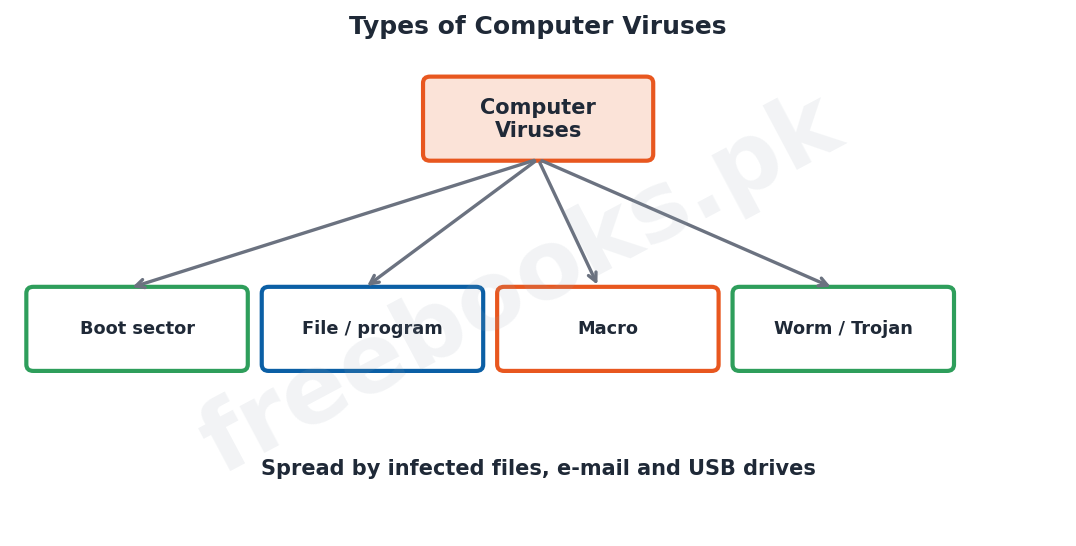
A computer virus is a small malicious program that attaches itself to other programs or files and spreads from one computer to another, often without the user’s knowledge. Viruses can damage or delete data, slow the computer down, corrupt files or make the system unusable. They spread through infected files, e-mail attachments, downloads and removable media such as USB drives. Related harmful programs include worms, which spread by themselves over networks, and Trojan horses, which hide inside apparently useful software.
Antivirus and Safeguards
Antivirus software is a program that detects, prevents and removes viruses from a computer by scanning files and comparing them against known virus patterns. To safeguard a computer against viruses, users should install and regularly update antivirus software, avoid opening unknown e-mail attachments and downloads, scan removable media before use, and keep backup copies of important data so that it can be restored if it is damaged.
Data Security and Threats
Data security means protecting data from being lost, stolen, changed or accessed by people who are not authorised. The main security threats include viruses, hacking (gaining unauthorised access to a computer system), theft of data or equipment, accidental deletion, and hardware failure. A security violation is any action that breaks the rules protecting a system, such as an unauthorised person reading or changing confidential data.
Data Protection Methods
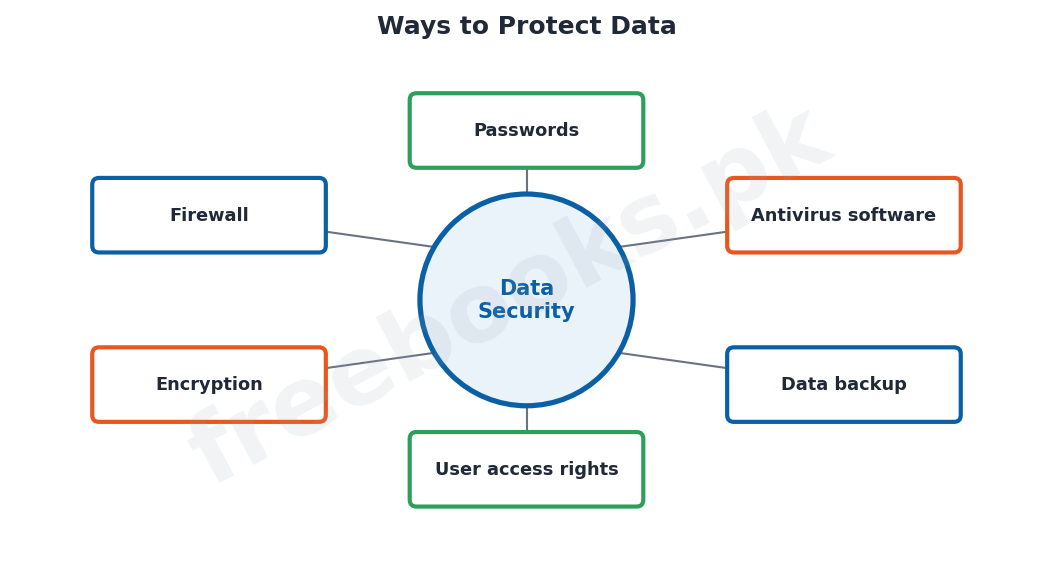
Several methods are used to protect data. Passwords and user identification restrict access so that only authorised people can use the system, and user access rights limit what each person may do. Antivirus software guards against viruses. Regular backups keep spare copies so that data can be restored after loss. Encryption scrambles data so that it cannot be understood if intercepted, and a firewall protects a network from outside attack. Physical security, such as locking computer rooms, protects the equipment itself.
Privacy
Privacy is the right of individuals to keep information about themselves confidential and to control how it is used. Computers make it easy to collect, store and share large amounts of personal data, so there is a risk that this data could be misused, sold or seen by people who have no right to it. Protecting privacy means ensuring that personal data is kept secure, is used only for the purpose for which it was collected, and is not passed on without permission.
Data Protection Legislation
Because of the risks to data and privacy, many countries have passed data protection laws (legislation). These laws set rules that organisations holding personal data must follow: the data must be obtained fairly and lawfully, kept accurate and up to date, used only for the stated purpose, kept secure, and not held for longer than necessary. People also have the right to see the data held about them. Such laws protect individuals from the misuse of their personal information.
Copyright and Software Piracy
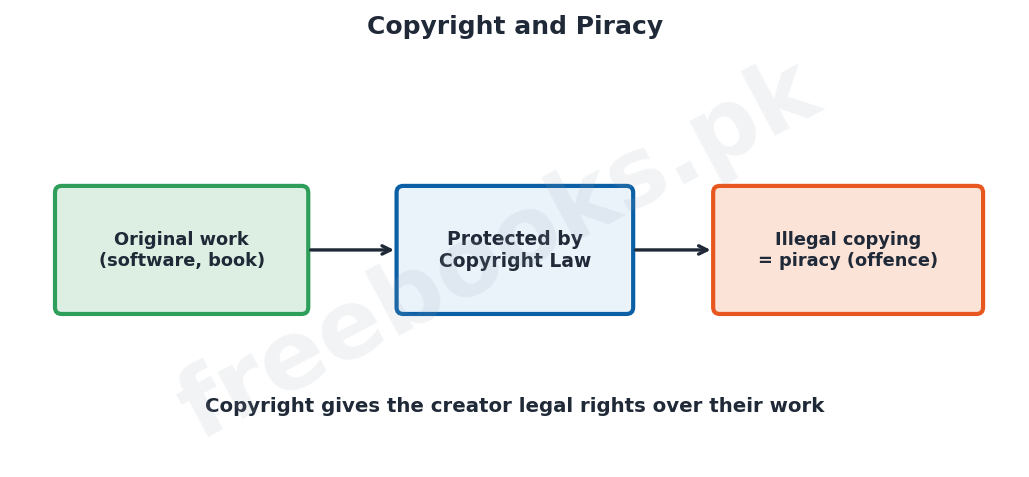
Copyright is a legal right that gives the creator of an original work, such as software, a book, music or a film, control over how that work is copied and used. Software is protected by copyright, so copying, distributing or using software without permission or a proper licence is illegal and is called software piracy. Using pirated software is both against the law and harmful, because it denies the creators their reward and often comes with viruses. Users should always use genuine, licensed software.
Important Definitions
Computer virus
A malicious program that spreads and damages data or programs.
Antivirus software
A program that detects, prevents and removes viruses.
Hacking
Gaining unauthorised access to a computer system.
Data security
Protecting data from loss, theft, change or unauthorised access.
Backup
A spare copy of data kept for recovery after loss.
Encryption
Scrambling data so that it cannot be understood if intercepted.
Privacy
The right to keep personal information confidential.
Copyright
A legal right giving the creator control over the use of their work.
Key Facts & Rules
| Item | Detail |
|---|---|
| Virus spreads by | Infected files, e-mail, downloads, USB drives |
| Guard against viruses | Antivirus + updates + backups + caution |
| Threats | Viruses, hacking, theft, deletion, failure |
| Protection methods | Passwords, access rights, backups, encryption, firewall |
| Software piracy | Illegal copying/using of copyrighted software |
| Copyright | Legal protection of original work |
Diagrams & Illustrations
Types of viruses: the main types of computer viruses (boot sector, file/program, macro, worm/Trojan) spreading through files, e-mail and USB drives.
Ways to protect data: the main methods of data protection around a central idea of data security: passwords, antivirus, backup, access rights, encryption and firewall.
Copyright and piracy: original work protected by copyright law, with illegal copying shown as piracy, an offence.
Solved Examples & Practice
Prevent a virus
To stop a USB drive spreading a virus, scan it with updated antivirus software before opening its files.
Identify the threat
An outsider guessing a password to read private files is committing hacking, a security violation.
Choose protection
To keep data safe if a hard disk fails, the best method is to keep regular backups.
Copyright
Copying a paid software program and selling copies without a licence is software piracy, which is illegal.
Short Questions & Answers
What is a computer virus?
A malicious program that attaches to files and spreads, damaging data or programs.
What is antivirus software?
A program that detects, prevents and removes viruses from a computer.
What is hacking?
Gaining unauthorised access to a computer system or its data.
Name three methods of data protection.
Passwords (and access rights), regular backups, and antivirus software (also encryption and firewalls).
What is privacy?
The right of individuals to keep information about themselves confidential and control its use.
What is software piracy?
The illegal copying, distribution or use of copyrighted software without permission or a licence.
Long Questions & Answers
Q1: Describe computer viruses and how a computer can be safeguarded against them.
A computer virus is a small program written deliberately to cause harm; it attaches itself to other programs or files and copies itself from one file or computer to another, usually without the user being aware of it. Once active, a virus may damage or delete data, corrupt files, slow the computer down, display unwanted messages or even make the whole system unusable. Viruses spread in several ways: through infected program files, through e-mail attachments, through files downloaded from the Internet, and through removable media such as USB flash drives and memory cards. Related kinds of malicious software include worms, which can spread by themselves across a network without needing to attach to a file, and Trojan horses, which disguise themselves as useful programs but carry out harmful actions once run. To protect a computer against viruses, several precautions should be taken together. The most important is to install antivirus software, a program that scans files, detects known viruses by their patterns and removes them, and to keep this software regularly updated so that it can recognise new viruses. In addition, users should not open e-mail attachments or download files from unknown or untrusted sources, should scan any removable media before using it, should avoid using pirated software, and should keep regular backup copies of important data so that, even if a virus does strike, the data can be restored. Following these practices greatly reduces the risk of infection and data loss.
Q2: Explain data security, the common threats to data, and the methods used to protect it.
Data security means keeping data safe from being lost, stolen, altered or seen by people who are not authorised to use it; it is important because the information stored on computers, such as financial records, personal details and business data, is often valuable and confidential. Data faces several kinds of threat. Viruses and other malicious programs can destroy or corrupt data. Hacking is the act of gaining unauthorised access to a computer system, often to read, steal or change data. Data or equipment may simply be stolen. Data can also be lost through accidental deletion by users or through hardware failures such as a crashed hard disk. Any action that breaks the rules protecting the system, such as an unauthorised person reading confidential files, is called a security violation. To guard against these threats a combination of methods is used. Passwords and user identification make sure that only authorised people can log in, while user access rights control what each person is allowed to do, so that ordinary users cannot change important data. Antivirus software protects against viruses. Regular backups keep spare copies of data in a safe place so that it can be recovered if the original is lost or damaged. Encryption scrambles data into a coded form so that even if it is intercepted it cannot be understood without the key, and a firewall protects a network by blocking unauthorised access from outside. Finally, physical security measures such as locking computer rooms and fixing down equipment protect the hardware itself. Used together, these methods keep data safe and available.
Q3: Explain privacy, data protection legislation and copyright, including software piracy.
As computers make it easy to gather and store large amounts of personal information, three related issues become important: privacy, data protection and copyright. Privacy is the right of individuals to keep information about themselves confidential and to have a say in how that information is used; the danger is that personal data collected by shops, banks, hospitals and websites could be misused, sold or seen by people with no right to it. To protect privacy, many countries have passed data protection legislation, that is, laws that lay down rules which any organisation holding personal data must obey. Typically these rules require that personal data be obtained fairly and lawfully, be kept accurate and up to date, be used only for the purpose for which it was collected, be kept secure against loss or theft, and not be kept for longer than necessary; the laws also usually give individuals the right to see the data held about them and to have mistakes corrected. Separately, copyright is a legal right that protects the creators of original works, including computer software, books, music and films, by giving them control over how their work is copied, distributed and used. Because software is protected by copyright, copying, sharing or using it without the proper permission or licence is illegal and is known as software piracy. Software piracy is not only against the law but is also harmful: it denies software developers the reward for their work, and illegal copies often carry viruses or lack proper support. For all these reasons, users should respect privacy, follow data protection rules, and always use genuine, licensed software.
MCQs with Answers
A malicious program that spreads and damages data is a: (a) compiler (b) virus (c) register (d) browser
Correct Answer: (b) virus.
Software that removes viruses is called: (a) antivirus (b) firmware (c) freeware (d) malware
Correct Answer: (a) antivirus software.
Gaining unauthorised access to a system is: (a) backup (b) hacking (c) encryption (d) piracy
Correct Answer: (b) hacking.
A spare copy of data for recovery is a: (a) backup (b) virus (c) cache (d) cookie
Correct Answer: (a) backup.
Scrambling data so it cannot be understood is: (a) backup (b) encryption (c) hacking (d) printing
Correct Answer: (b) encryption.
A device that blocks unauthorised network access is a: (a) firewall (b) modem (c) printer (d) scanner
Correct Answer: (a) firewall.
The right to keep personal data confidential is: (a) copyright (b) privacy (c) piracy (d) backup
Correct Answer: (b) privacy.
Illegal copying of software is called: (a) backup (b) piracy (c) encryption (d) hacking
Correct Answer: (b) piracy.
A worm spreads: (a) only by e-mail (b) by itself over a network (c) only via USB (d) never
Correct Answer: (b) by itself over a network.
Copyright protects: (a) only hardware (b) original works like software (c) only websites (d) nothing
Correct Answer: (b) original works such as software.
Quick Revision Summary
- Virus = malicious program that spreads (via files, e-mail, USB); worms/Trojans related.
- Antivirus (kept updated) + backups + caution safeguard against viruses.
- Threats: viruses, hacking, theft, deletion, hardware failure.
- Protection: passwords, access rights, backups, encryption, firewall, physical security.
- Privacy = right to keep personal data confidential; data protection laws set the rules.
- Copyright protects original works; illegal copying of software = piracy (offence). Notes by freebooks.pk.
Exam Tips
- Define a virus and list ways it spreads.
- State how to guard against viruses (antivirus + updates + backups).
- List the main threats to data.
- Give at least four data-protection methods.
- Explain privacy and what data protection laws require.
- Define copyright and software piracy.