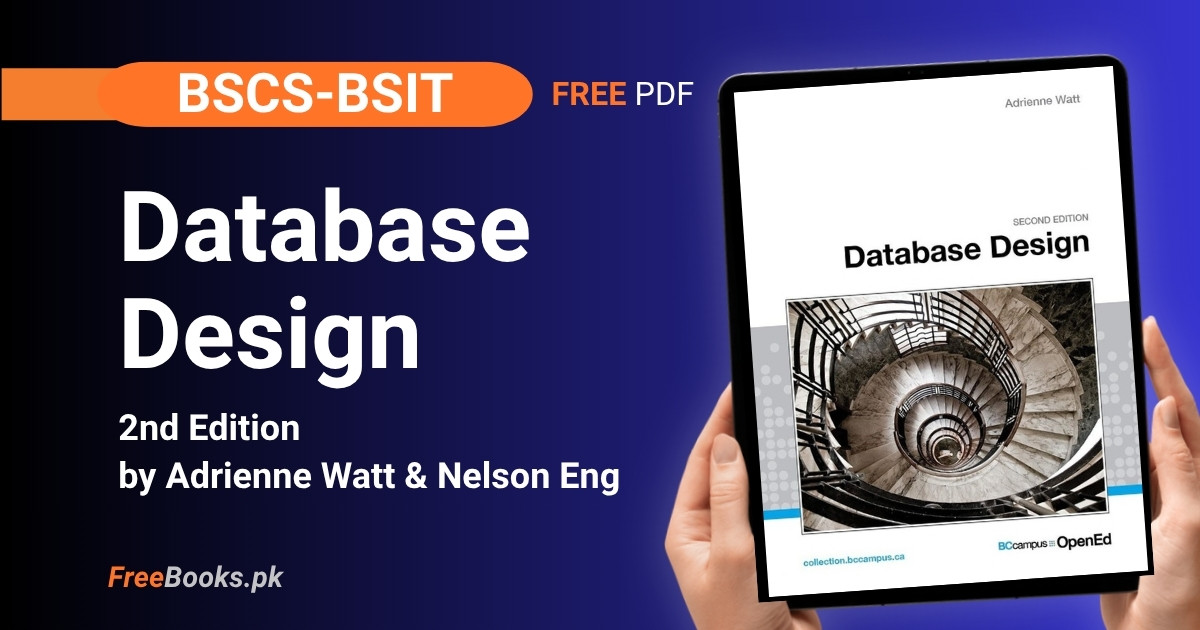
BSCS and BSIT students can download the complete textbook “Database Design, 2nd Edition” by Adrienne Watt, with contributions from Nelson Eng, free online. It is a BCcampus open textbook that takes you from the failures of file-based data storage through database fundamentals, ER modelling, integrity rules, functional dependencies and normalization, and ends with two full chapters of Structured Query Language, all in sixteen chapters plus three appendices.
What makes this book useful for a Pakistani BSCS or BSIT Database Systems course is that it stays close to first principles the whole way through. It builds a single continuous argument — file systems fail because of five specific problems, the database approach and ER modelling solve them, integrity rules and normalization formalize why the design works, and SQL is how you actually build and query it — and it closes with three practical appendices: a full worked university-registration case study, two ERD practice exercises with solutions, and a complete SQL lab with DDL and DML solutions. Published under an open licence by BCcampus, it can be freely copied, adapted and redistributed, which is exactly why it is free to read here.
Book Overview
| Course | Database Systems / Database Design |
| Degree Programs | BSCS, BSIT |
| Level | University — no prior database experience assumed |
| Edition | 2nd Edition (2014), current version 1.4 (27 January 2022) |
| Authors | Adrienne Watt, with contributions from Nelson Eng (Chapters 2, 4, 9, 15, 16) |
| Structure | 16 chapters plus 3 appendices |
| Exercises | Review questions after most chapters, plus 2 worked ERD exercises and a full SQL lab with solutions in the appendices |
| Language | English |
| License | CC BY 4.0 International — Model: Link-only |
| Format | Free PDF, free online HTML, and EPUB via Pressbooks |
Chapter List
Chapter 1: Before the Advent of Database Systems
Difficulty: Easy · Key topics: file-based systems, data redundancy, data isolation, integrity problems, security issues, concurrency access, the database approach
The chapter opens by describing how organizations managed information before databases existed: each department kept its own permanent files, processed by its own applications, illustrated with a banking example where Accounts, Loans and Personnel all maintain separate records. From there it walks through five concrete disadvantages of this approach in turn — data redundancy, data isolation, integrity problems, security issues and blocked concurrent access — explaining what goes wrong with each using the same banking scenario. It closes by introducing the database approach as the alternative that centralizes an organization’s data instead of scattering it across per-department files, setting up the rest of the book.
Key Points:
- File-based systems keep each department’s data in separate files processed by its own applications, so the same fact often lives in more than one file.
- Data redundancy wastes storage and causes inconsistency when duplicated copies of the same fact are not all updated together.
- Data isolation happens when new applications cannot easily find or use data scattered across many unrelated files.
- Concurrency control lets multiple users access the same record safely; file locking in older systems blocked this.
- A database centralizes an organization’s data so integrity rules and security can be enforced in one place instead of separately in every application.
Memory Tip: Remember the five file-based problems as R-I-I-S-C: Redundancy, Isolation, Integrity, Security, Concurrency — the five reasons databases replaced file systems.
Common Mistake: Confusing data redundancy with data duplication in general. Redundancy specifically means the same fact is stored in more than one place and updated independently, which is what causes the copies to drift out of sync.
Important Questions:
- What is data redundancy, and why does it cause problems in a file-based system? Data redundancy is the same fact being stored in more than one file; because each copy is updated separately, the values can drift out of sync, wasting storage and effort.
- What is the difference between data and information? Data are raw, factual measurements or statistics about objects and events; information is data that has been organized or processed so it is meaningful and useful for decision-making.
Chapter 2: Fundamental Concepts
Difficulty: Easy · Key topics: database definition, database properties, DBMS definition, tables and fields
This chapter defines a database as a shared collection of related data used to support the activities of an organization, then lists the five properties any database must have: it represents some aspect of the real world, it is logically coherent, it is designed for a specific purpose, it stores information in fields, and it combines fields into tables. The Science World membership example is used to make each property concrete. The chapter then defines a database management system (DBMS) as the collection of programs that lets users create, maintain and control access to a database, illustrated by a banking example where Personnel, Account and Loan departments all share one underlying database through the DBMS instead of keeping private files.
Key Points:
- A database is a shared collection of related data used to support the activities of a particular organization.
- A database represents an aspect of the real world, is logically coherent, is designed for a specific purpose, stores data in fields, and groups related fields into tables.
- A DBMS is the collection of programs that lets users create, maintain and control access to a database.
- Multiple application programs can share one underlying database through the DBMS rather than keeping private files.
- A table combines related fields into rows, the basic organizing unit of a relational database.
Memory Tip: Read the Science World membership example twice — once to see the tables, once to check each of the five database properties against it. That repetition is what makes the five properties stick.
Common Mistake: Treating “database” and “DBMS” as synonyms. The database is the actual stored data; the DBMS is the software that creates, maintains and controls access to that data.
Important Questions:
- What is a database management system (DBMS)? A collection of programs that enables users to create and maintain a database and control all access to it.
- What are the properties of a database? It represents an aspect of the real world, is logically coherent with an inherent meaning, is designed for a specific purpose, stores data in fields, and groups related fields into tables.
Chapter 3: Characteristics and Benefits of a Database
Difficulty: Easy · Key topics: metadata, program-data independence, views, concurrency control, redundancy control, integrity constraints, access security, backup and recovery
This chapter lists the characteristics that make a database more useful than a file-based system. It explains that a database is self-describing — it stores metadata that defines the data itself and the relationships between tables, not just the raw data. Program-data independence means a structural change requires updating one system catalogue entry rather than rewriting every application. A view is described as a subset of the database defined for a particular group of users. The chapter continues through concurrency control, redundancy control, integrity constraints (data type and uniqueness rules), access security (read-only versus read-and-write privileges), and backup and recovery, closing with why each of these makes managing organizational data easier than a file-based approach did.
Key Points:
- A database is self-describing: it stores metadata that defines the data and the relationships between tables, not just the data itself.
- Program-data independence means a structural change requires only one update in the system catalogue, not a rewrite of every application that uses it.
- A view is a subset of the database defined for a particular group of users, so different users see only the data relevant to their role.
- Concurrency control strategies let multiple users access the same data at the same time while keeping it correct and consistent.
- A database constraint is a rule limiting what can be entered or edited in a table, such as a data type restriction or a uniqueness rule enforced by a primary key.
- Backup and recovery procedures protect against data loss and restore a database to a consistent state after a failure during a complex operation.
Memory Tip: Group the benefits into three buckets while reading: “less redundancy,” “more control” (constraints, security, concurrency) and “easier change” (data independence, views). Most exam questions map onto one of these three.
Common Mistake: Assuming a database eliminates redundancy completely. Some controlled redundancy is kept deliberately for performance; the real goal is knowing about and controlling redundancy, not removing every duplicate value.
Important Questions:
- What is metadata, and why does it matter to a database’s self-describing nature? Metadata is data that defines and describes the data in a database and the relationships between its tables; a database is self-describing because it stores this metadata alongside the actual data, unlike a plain file system.
- What is data independence, and why is it important? Data independence is the insulation of application programs from changes in how data is structured or stored; because the DBMS keeps structural information in a system catalogue rather than inside every program, a structural change requires updating the catalogue instead of rewriting applications.
Chapter 4: Types of Data Models
Difficulty: Easy · Key topics: conceptual data models, ER model, entity, attribute, relationship, record-based logical models, relational model, network model, hierarchical model
This chapter separates data models into two families. High-level conceptual models, exemplified by the Entity Relationship (ER) model, describe data the way people naturally perceive it, using three concepts: an entity (a real-world object such as an employee or a project), an attribute (a property describing an entity, such as name or birthdate), and a relationship (an association between entities, such as an employee working on a project). Record-based logical models bridge human understanding and computer storage, and the chapter covers three: the relational model, which represents data as tables; the network model, which represents data as record types linked by a restricted one-to-many “set type”; and the hierarchical model, which represents data as a branching tree of records.
Key Points:
- A high-level conceptual data model, such as the ER model, describes data the way people naturally perceive it, using entities, attributes and relationships.
- An entity is a real-world object such as an employee or a project; an attribute is a property that describes an entity, such as name or birthdate.
- A relationship is an association between entities, such as an employee working on a project.
- The relational model represents data as relations (tables), where each instance is a row.
- The network model represents data as record types linked through “set types,” a restricted one-to-many structure.
- The hierarchical model represents data as a tree of records with parent-child branching.
Memory Tip: Picture the three record-based models as shapes: relational is a grid (tables), network is a web (many links), hierarchical is a tree (one parent, many children). The shape is literally the model’s name.
Common Mistake: Confusing the ER model, a conceptual design-stage model, with the relational model, a record-based implementation-stage model. An ER diagram is translated into relational tables; it is not itself a set of tables.
Important Questions:
- What is an entity, an attribute, and a relationship? An entity is a real-world object such as an employee or a project; an attribute is a property describing the entity, such as its name or address; a relationship is an association between two or more entities, such as an employee working on a project.
- List the common record-based logical data models. The relational model represents data as tables of rows and columns; the network model represents data as record types connected by set-type one-to-many links; the hierarchical model represents data as a tree with parent and child records.
Chapter 5: Data Modelling
Difficulty: Medium · Key topics: conceptual/logical/physical design, degrees of data abstraction, external/conceptual/internal/physical models, schema, logical and physical data independence
Data modelling is presented as the first and most abstract step of database design, also called conceptual design, followed by logical design and then physical design. The chapter then works through four degrees of data abstraction from highest to lowest: the external model (an individual user’s or department’s view), the conceptual model (the enterprise-wide, DBMS-independent logical structure capturing business rules, usually drawn as an ER diagram), the internal model (mapping that structure onto a specific implementation such as relational, network or hierarchical), and the physical model (actual storage, indexing and run-time performance). It closes by distinguishing logical data independence, which insulates applications from changes to the logical schema, from physical data independence, which insulates the logical schema from changes to physical storage.
Key Points:
- Data modelling is the first, most abstract step of database design, followed by logical design and then physical design.
- The external model represents an individual user’s or department’s view of the data.
- The conceptual model is the enterprise-wide, DBMS-independent logical structure that captures business rules and is usually drawn as an ER diagram.
- The internal model maps the conceptual structure onto a specific implementation type: relational, network or hierarchical.
- The physical model deals with actual storage: file organization, indexing, encryption and run-time performance.
- Logical data independence lets the logical schema change without breaking existing applications; physical data independence lets storage details change without altering the logical schema.
Memory Tip: Use the book’s own house-building analogy: deciding how many bedrooms (conceptual) comes before drawing wiring diagrams (logical), which comes before the contractor pouring concrete (physical). The order never changes.
Common Mistake: Mixing up logical and physical data independence. Logical independence protects applications from changes to the logical schema; physical independence protects the logical schema from changes to physical storage. They insulate different layers.
Important Questions:
- What is the difference between a conceptual model and an internal model? The conceptual model is a DBMS-independent, enterprise-wide logical structure capturing business rules, usually as an ER diagram; the internal model maps that structure onto one specific implementation approach, such as the relational model.
- What is physical data independence? The immunity of the logical schema, and the applications built on it, to changes in physical storage details, such as switching storage devices or adding an index, so those changes do not require redesigning the logical model.
Chapter 6: Classification of Database Management Systems
Difficulty: Easy · Key topics: relational model dominance, object-oriented DBMS, single-user vs. multiuser, centralized vs. distributed, homogeneous vs. heterogeneous distributed
This chapter classifies DBMSs along three separate axes. By data model, the relational model dominates today’s market (Oracle, MS SQL Server, DB2, MySQL), hierarchical and network systems survive mainly in older mainframe environments, and object-oriented DBMSs represent information as objects with still-limited adoption. By user count, a single-user system supports one user at a time while a multiuser system supports many concurrently. By distribution, a centralized system keeps the DBMS and database at a single site serving many workstations, while a distributed system spreads them across networked sites, which are further split into homogeneous (same DBMS software everywhere) and heterogeneous (different DBMS platforms linked by common exchange software, illustrated with the MARC cataloguing format used in libraries).
Key Points:
- The relational data model dominates today’s market; Oracle, MS SQL Server, DB2 and MySQL are common relational examples.
- Hierarchical and network model systems survive mainly in older mainframe environments.
- Object-oriented DBMSs represent information as objects, similar to object-oriented programming, but adoption remains limited.
- A single-user system supports one user at a time; a multiuser system supports many concurrent users.
- A centralized system keeps the DBMS and database at a single site serving many connected workstations; a distributed system spreads them across multiple networked sites.
- A homogeneous distributed system runs the same DBMS software at every site; a heterogeneous distributed system runs different platforms linked by common exchange software.
Memory Tip: Split the classification into three separate questions the book asks in order: “what model?”, “how many users?”, “how many sites?” Students usually lose marks by mixing the three axes together.
Common Mistake: Assuming “distributed” automatically means “heterogeneous.” A distributed system can still run identical DBMS software at every site (homogeneous); heterogeneity is about different DBMS platforms, not location.
Important Questions:
- What is the difference between centralized and distributed database systems? A centralized system keeps the DBMS and database at a single site, accessed by multiple connected workstations; a distributed system spreads the database and DBMS across multiple networked sites.
- What is the difference between homogeneous and heterogeneous distributed database systems? A homogeneous distributed system uses the same DBMS software at every site, making data exchange straightforward; a heterogeneous distributed system uses different DBMS platforms linked by common software to exchange data between them.
Chapter 7: The Relational Data Model
Difficulty: Easy · Key topics: relation, tuple, attribute, domain, degree, table properties, terminology synonyms
This chapter introduces the relational model, created by E. F. Codd in 1970, which describes a database as a collection of inter-related tables. A relation is technically a subset of the Cartesian product of a list of domains; practically, it is a table of rows (tuples) and columns (attributes). A domain is the set of legal, atomic values a column may hold. Degree is the number of attributes in a table. The chapter lists the properties every valid table must have — a unique name, no duplicate rows, atomic column values with no repeating groups, consistent data types per column, unique attribute names, and column and row order that does not matter — and closes with the three sets of synonymous terms used throughout the book: relation/table/file, row/tuple/record, and column/field/attribute.
Key Points:
- The relational model, created by E. F. Codd in 1970, describes a database as a collection of inter-related tables.
- A domain is the set of legal, atomic values a column may hold, such as the possible values of marital status or a salary range.
- Degree is the number of attributes (columns) in a table.
- A valid table must have a unique name, no duplicate rows, atomic column values, consistent data types per column, unique attribute names, and column/row order that does not matter.
- Relation, table and file are synonyms, as are row, tuple and record, and column, field and attribute.
Memory Tip: Learn the three synonym triples as one sentence: “a relation’s tuple has an attribute” = “a table’s row has a field” = “a file’s record has a column.” Any exam question can be reworded into whichever set you find easiest.
Common Mistake: Forgetting the “no repeating groups” rule and putting multiple values into a single cell, such as listing two phone numbers in one field. Every entry at the intersection of a row and column must be a single, atomic value.
Important Questions:
- What is a domain, and how does it relate to a column? A domain is the original set of atomic, legal values a column is allowed to hold, such as the set of valid marital-status codes; every value stored in that column must come from its domain.
- List the properties every relational table must have. A distinct name from every other table, no duplicate rows, atomic values in every cell with no repeating groups, all entries in a column from the same data type, distinct attribute names, and column and row order that has no significance.
Chapter 8: The Entity Relationship Data Model
Difficulty: Medium · Key topics: entity types, strong and weak entities, kernel/dependent/characteristic entities, attribute types, candidate/primary/foreign/alternate keys, nulls, relationship cardinality, unary and ternary relationships, ERD notation
Using a running COMPANY database example, this chapter builds the ER model on two concepts: entities (tables holding specific data) and relationships (associations between them). It classifies entities as strong or weak (a weak entity’s existence and primary key depend on a parent, such as Spouse depending on Employee) and as kernel, dependent or characteristic. It defines four attribute types — simple, composite, multivalued and derived — and the full family of keys: candidate, primary, secondary, alternate and foreign, plus how nulls behave. It then covers relationship cardinality (1:1, 1:M, M:N), explaining that a many-to-many relationship cannot be implemented directly and must be resolved with a composite bridge entity, and closes with unary (recursive) and ternary relationships and standard ERD notation.
Key Points:
- A strong (kernel) entity exists independently and does not need a mandatory foreign key; a weak entity’s existence and primary key depend on a parent entity, such as Spouse depending on Employee.
- A candidate key is a simple or composite key that is both unique and minimal; the primary key is the candidate key chosen to identify rows and can never be null.
- A foreign key is an attribute that either references the primary key of another table or is null.
- Attributes can be simple, composite (Address made of street, city), multivalued (an employee with several degrees) or derived (Age calculated from Birthdate).
- A many-to-many relationship cannot be implemented directly in the relational model; it is resolved with a composite (bridge) entity holding the primary keys of both original tables.
- A unary (recursive) relationship connects occurrences of the same entity to each other, such as an employee supervising another employee.
- A null represents an unknown or inapplicable value, is never allowed in a primary key, and should be minimized elsewhere because it disrupts comparisons and arithmetic.
Practice Tip: For every ERD in this chapter, physically write “PK” and “FK” under the relevant columns of every table before naming the relationship. The cardinality almost always becomes obvious once the keys are marked.
Common Mistake: Trying to store a many-to-many relationship as a simple foreign key on one side. It cannot be done directly; a bridge (composite) entity with the two primary keys as its own composite key, plus any relationship attributes such as StartDate, is required.
Important Questions:
- What is the difference between a strong entity and a weak entity? A strong (kernel) entity exists independently and does not require a mandatory foreign key; a weak entity is existence-dependent on a parent entity, and its primary key is derived, wholly or partly, from that parent’s primary key.
- Why can a many-to-many relationship not be implemented directly in a relational database, and how is it resolved? A relational table cannot hold a repeating group of matching values on one side of a many-to-many relationship, so it is resolved by creating a composite (bridge) entity whose primary key combines the primary keys of the two original tables, turning the one M:N relationship into two 1:M relationships.
Chapter 9: Integrity Rules and Constraints
Difficulty: Medium · Key topics: domain integrity, entity integrity, referential integrity, foreign key rules (cascade update/delete, set null), enterprise constraints, identifying vs. non-identifying relationships, optional vs. mandatory cardinality
This chapter formalizes the rules a database must enforce. Entity integrity requires every table to have a primary key that is never null, in whole or in part. Referential integrity requires every foreign key value to either match an existing primary key value in the referenced table or be null, with Cascade Update, Cascade Delete and Set to Null as the common rules for what happens to child rows when a parent row changes or is deleted. Domain constraints restrict the legal values and format of an attribute. Enterprise (business) constraints are additional rules, often spanning multiple tables, that come from the organization’s own requirements. The chapter closes by distinguishing identifying from non-identifying relationships and optional from mandatory cardinality.
Key Points:
- Entity integrity requires every table to have a primary key, and neither the key as a whole nor any of its component columns may be null.
- Referential integrity requires every foreign key value to either match an existing primary key value in the referenced table or be null; a non-matching value creates an “orphan” record.
- Cascade Update, Cascade Delete and Set to Null are the three common rules for what happens to a child row when its referenced parent row changes or is deleted.
- Domain constraints restrict the legal values and format of an attribute, such as requiring an Employee ID to be unique.
- Enterprise (business) constraints are additional rules, often spanning multiple tables, that come from the organization’s own requirements rather than the relational model itself.
- A relationship is optional when the foreign key may be null, and mandatory when a matching parent row must always exist.
Memory Tip: Pair each integrity rule with the key it protects — Entity integrity protects the primary key (no nulls), Referential integrity protects the foreign key (must match or be null). If you can say which key a rule is about, you already know which rule it is.
Common Mistake: Treating “referential integrity” as meaning a foreign key can never be null. It can be null — that represents “not yet assigned.” What it cannot do is hold a value that does not exist as a primary key in the parent table.
Important Questions:
- What is referential integrity? The rule that every foreign key value must either match an existing primary key value in the table it references, or be null; a foreign key value that matches nothing in the parent table produces an invalid “orphan” row.
- What is the difference between an identifying and a non-identifying relationship? In an identifying relationship the child entity’s primary key includes the parent’s primary key as part of its own, shown with a solid line; in a non-identifying relationship the child’s primary key does not include the parent’s key, shown with a dotted line.
Chapter 10: ER Modelling
Difficulty: Medium · Key topics: functional dependency motivation, insertion anomaly, update anomaly, deletion anomaly, decomposition, join
Despite its title, this chapter’s actual content is about why functional dependencies matter, not ER diagramming technique. It explains that a functional dependency describes how one attribute’s value determines another, and uses banking and employee-project examples to show what goes wrong when two entities are mixed into a single table. Three anomalies are worked through in detail: an insertion anomaly, where adding one fact forces adding unrelated data; an update anomaly, where a fact repeated across many rows must be changed everywhere at once to stay consistent; and a deletion anomaly, where removing one row destroys information about a second entity that had no other row recording it. The chapter’s solution is decomposition — splitting a mixed table so each result describes exactly one entity.
Key Points:
- A functional dependency describes how one attribute’s value determines another, and helps decide which attributes belong together in the same table.
- An insertion anomaly occurs when inserting one fact forces you to also insert unrelated or unknown information because two entities are mixed into one table.
- An update anomaly occurs when a fact is stored redundantly across many rows, so changing it correctly means updating every copy.
- A deletion anomaly occurs when deleting one row destroys information about a second entity that had no other row recording it.
- Mixing two entities, such as branches and accounts, into a single table is the root cause of all three anomalies.
- Decomposing a table so each resulting table describes exactly one entity removes the anomalies and lets each fact be updated independently.
Memory Tip: I-U-D for the three anomalies: Insert, Update, Delete. The fix is always the same word: decompose. If a table mixes two nouns, split it into one table per noun.
Common Mistake: Assuming any duplicate-looking data is an anomaly. The anomalies specifically come from mixing two different entities in one table; controlled redundancy inside a single well-designed table, such as a foreign key value repeating, is normal, not a bug.
Important Questions:
- What are the three data anomalies caused by data redundancy? The insertion anomaly, where adding one fact forces adding unrelated or unknown data; the update anomaly, where a fact repeated across many rows must be changed in every copy to stay consistent; and the deletion anomaly, where removing one row unintentionally erases information about a second entity.
- How can these anomalies be eliminated? By decomposing the table so each resulting table holds the attributes of exactly one entity — the same principle formalized later as normalization.
Chapter 11: Functional Dependencies
Difficulty: Medium · Key topics: functional dependency notation, determinant, full/partial/transitive dependency, Armstrong’s axioms
This chapter gives functional dependency its formal definition: attribute Y is functionally dependent on attribute X, written X → Y, when every valid value of X determines exactly one value of Y, with X called the determinant. It distinguishes full dependency from partial dependency (a non-key attribute depending on only part of a composite key, illustrated with StudentName depending only on StudentNo) and from transitive dependency (a non-key attribute depending on another non-key attribute, illustrated with ProgramName depending on ProgramID rather than directly on StudentNo). It closes with Armstrong’s five inference axioms — reflexivity, augmentation, transitivity, union and decomposition — the formal rules used to derive new dependencies from known ones.
Key Points:
- Attribute Y is functionally dependent on attribute X, written X → Y, when every valid value of X determines exactly one value of Y; X is called the determinant.
- A partial dependency exists when a non-key attribute depends on only part of a composite primary key, not the whole key.
- A transitive dependency exists when a non-key attribute depends on another non-key attribute rather than directly on the primary key.
- Armstrong’s reflexivity axiom: if Y is a subset of X, then X determines Y.
- Armstrong’s augmentation axiom: if X determines Y, then XZ determines YZ for any Z.
- Armstrong’s transitivity axiom: if X determines Y and Y determines Z, then X determines Z.
Memory Tip: Say the determinant out loud as “if you know X, you always know Y” — that phrasing is the definition of X → Y and instantly tells you which side of the arrow is the key.
Common Mistake: Writing a functional dependency backwards, such as Name → SIN. A person’s SIN determines their name (SIN → Name), but many people can share a name, so a name never determines a unique SIN.
Important Questions:
- What is a partial dependency, and why is it a problem? A partial dependency exists when a non-key attribute depends on only part of a composite primary key rather than the whole key — for example StudentName depending only on StudentNo when the key is (StudentNo, Course). It causes redundancy and anomalies, and normalizing to 2NF removes it.
- State Armstrong’s transitivity axiom. If X determines Y, and Y determines Z, then X must also determine Z.
Chapter 12: Normalization
Difficulty: Hard · Key topics: normalization goal, repeating groups, 1NF, 2NF, 3NF, BCNF, dependency diagrams, anomalies revisited
Normalization is defined as the process of determining how much redundancy exists in a table and removing it in stages through a series of defined normal forms, working as the micro (single-table) view that complements ER modelling’s macro (whole-database) view. The chapter defines each normal form in turn: First Normal Form (1NF) requires every cell to hold a single atomic value with no repeating groups; Second Normal Form (2NF) additionally requires every non-key attribute to be fully dependent on the entire primary key; Third Normal Form (3NF) additionally requires no non-key attribute to be transitively dependent on another non-key attribute; and Boyce-Codd Normal Form (BCNF) tightens 3NF further by requiring every determinant in the table, not only the primary key, to be a candidate key. Worked examples, including a School database and a St_Maj_Adv table, show anomalies appearing and disappearing at each stage.
Key Points:
- Normalization is the process of determining how much redundancy exists in a table and removing it in stages through a series of defined normal forms.
- A table is in First Normal Form (1NF) when every cell holds a single, atomic value and there are no repeating groups.
- A table is in Second Normal Form (2NF) when it is in 1NF and every non-key attribute is fully dependent on the entire primary key, not just part of a composite key.
- A table is in Third Normal Form (3NF) when it is in 2NF and no non-key attribute is transitively dependent on another non-key attribute.
- Boyce-Codd Normal Form (BCNF) is a stricter version of 3NF in which every determinant in the table must be a candidate key.
- Normalization and ER modelling are complementary: ER modelling is the macro (whole-database) view, and normalization is the micro (single-table) view.
Memory Tip: Climb the normal forms in order and ask one question at each step: 1NF — is every cell atomic? 2NF — does every non-key attribute need the whole key? 3NF — does every non-key attribute depend only on the key, not on another non-key attribute?
Common Mistake: Confusing 2NF and 3NF. 2NF is only a concern when the primary key is composite (it asks about partial dependency on part of the key); 3NF applies regardless of key shape and asks about transitive dependency between two non-key attributes.
Important Questions:
- When is a table in Third Normal Form? When it is already in Second Normal Form and all transitive dependencies have been removed — no non-key attribute may be functionally dependent on another non-key attribute.
- What distinguishes Boyce-Codd Normal Form from ordinary Third Normal Form? BCNF is a stricter special case of 3NF that requires every determinant in the table, not only the primary key, to be a candidate key; a table can satisfy 3NF while still having an anomaly that only BCNF removes.
Chapter 13: Database Development Process
Difficulty: Medium · Key topics: SDLC, waterfall model, requirements gathering, analysis, logical design, implementation, database population, flexing
This chapter adapts the general Software Development Life Cycle (SDLC) waterfall model — requirements, analysis, design, implementation, testing, maintenance — to database-specific work. Requirements gathering produces a data requirements document confirming a shared understanding between designers and users in accessible language. Analysis produces a conceptual data model that answers “what is required,” independent of any specific DBMS. Logical design transforms that model into a detailed relational specification of tables and constraints, revised (“flexed”) for completeness, integrity, flexibility, efficiency and usability. Implementation builds the actual database using SQL DDL statements, and database population loads data through imports or new applications, with large legacy transfers handled as a “bulk load” that may defer constraint checking until it finishes.
Key Points:
- The database development process adapts the general SDLC waterfall model — requirements, analysis, design, implementation, testing, maintenance — to database-specific work.
- Requirements gathering produces a data requirements document confirming a shared understanding between designers and users in accessible language.
- Analysis produces a conceptual data model answering “what is required,” independent of any specific DBMS.
- Logical design transforms the conceptual model into a detailed relational specification of tables and constraints, revised (“flexed”) for completeness, integrity, flexibility, efficiency and usability.
- Implementation builds the actual database using SQL DDL statements and addresses storage, security and external schemas for the chosen DBMS.
- Database population loads data through imports or new applications; large legacy transfers are handled as a “bulk load,” sometimes deferring constraint checks until it finishes.
Memory Tip: Map the six SDLC stages onto the database-specific ones as you read: requirements to requirements gathering, design to logical design, implementation to implementation. The database process is the same waterfall applied to one kind of system, not a new model.
Common Mistake: Treating “design” as a single step. The chapter splits it into conceptual design (the ER model, DBMS-independent) and logical design (the relational specification) before implementation ever touches a specific product.
Important Questions:
- What does the acronym SDLC mean, and what does it describe? Software Development Life Cycle; it describes the sequence of stages — requirements, analysis, design, implementation, testing and maintenance — that a system, including a database, passes through from conception to ongoing operation.
- What is “flexing” in the logical design stage? The iterative process of revising a second-cut table design to improve its completeness, integrity, flexibility, efficiency and usability, rather than treating the first design as final.
Chapter 14: Database Users
Difficulty: Easy · Key topics: end users, application users, sophisticated users, application programmers, database administrator (DBA)
This short chapter defines the five roles that interact with a database. End users access it to query, update and generate reports, splitting into application users, who work through an existing application program without writing queries directly, and sophisticated users, who bypass ready-made applications and use a query language or a tool such as MS Access directly. Application programmers implement the application programs that access stored data and need working knowledge of the DBMS. A database administrator (DBA) authorizes access to the database, monitors its use, and manages the resources supporting the whole database system. The book gives no exercises for this chapter, only the five definitions.
Key Points:
- End users access a database to query it, update it and generate reports, and split into application users and sophisticated users.
- An application user works through an existing application program to complete a routine task without writing queries directly.
- A sophisticated user bypasses ready-made applications and uses a query language or a tool such as MS Access to meet a specific need directly.
- An application programmer implements the application programs that access stored data and needs working knowledge of the DBMS to do so.
- A database administrator (DBA) authorizes access to the database, monitors its use and manages the resources supporting the whole database system.
Memory Tip: Rank the five roles by how much of the DBMS they see directly: the application user sees none of it, the sophisticated user sees the query language, the application programmer sees the DBMS’s programming interface, and the DBA sees and controls everything.
Common Mistake: Assuming “end user” and “application user” are two separate categories of equal rank. Application users and sophisticated users are both kinds of end user; the distinction is how directly each one interacts with the DBMS, not a difference in seniority.
Important Questions:
- What is the difference between an application user and a sophisticated user? An application user interacts with the database only through an existing application program built for a routine task; a sophisticated user bypasses ready-made applications and uses a query language or a personal database package directly to meet a specific need.
- What is a database administrator responsible for? Authorizing access to the database, monitoring how it is used, and managing all the resources needed to support the entire database system.
Chapter 15: SQL Structured Query Language
Difficulty: Medium · Key topics: SQL history, CREATE TABLE, ALTER TABLE, DROP TABLE, data types, constraints (NOT NULL, UNIQUE, PRIMARY KEY, FOREIGN KEY, CHECK, DEFAULT, IDENTITY)
This chapter opens with SQL’s history — developed by IBM in the early 1970s under the name SEQUEL, with Oracle releasing the first commercial implementation, Oracle V2, in the late 1970s. It then covers the Data Definition Language: CREATE TABLE to define a table’s columns, data types and constraints in one statement; ALTER TABLE to add or drop columns and constraints on an existing table; and DROP TABLE to remove a table entirely. Data types covered include numeric, temporal, character and binary types. The chapter finishes with the constraint keywords — NOT NULL, UNIQUE, PRIMARY KEY, FOREIGN KEY, CHECK, DEFAULT and IDENTITY — each tied back to the integrity rules from Chapter 9.
Key Points:
- SQL was originally developed by IBM in the early 1970s under the name SEQUEL (Structured English Query Language); Oracle released the first commercial implementation, Oracle V2, in the late 1970s.
- CREATE TABLE defines a new table’s columns, their data types and their constraints in one statement.
- ALTER TABLE adds or drops columns and constraints on a table that already exists; DROP TABLE removes a table entirely.
- Data types cover numeric (
Int,Decimal,Float), temporal (DateTime), character (Char,Varchar,Text) and binary (Binary,Image) values, among others. PRIMARY KEY,FOREIGN KEY,UNIQUEandCHECKconstraints are declared inCREATE TABLE(or added later withALTER TABLE) to enforce entity and referential integrity directly in the schema.DEFAULTauto-fills a column when no value is supplied, andIDENTITYauto-generates a sequential number, typically for a surrogate primary key.
Practice Tip: Type out a full CREATE TABLE statement for one table from Chapter 9’s own exercise, including every constraint, before moving to Chapter 16. Writing the schema by hand makes the difference between PRIMARY KEY and FOREIGN KEY concrete instead of abstract.
Common Mistake: Adding a FOREIGN KEY constraint that references a table which has not been created yet. The referenced (parent) table must already exist before a CREATE TABLE statement can declare a foreign key pointing to it.
Important Questions:
- What is the difference between CHAR and VARCHAR data types?
CHARreserves a fixed number of characters for every row regardless of actual text length, padding with spaces;VARCHARstores only as many characters as the value actually needs, up to its declared maximum, which usually saves space for variable-length text. - What does the IDENTITY property do, and why is it commonly used with primary keys? It makes SQL Server automatically generate a sequential number for a column each time a row is inserted, a convenient way to create a surrogate primary key without the application having to track or supply the next number itself.
Chapter 16: SQL Data Manipulation Language
Difficulty: Medium · Key topics: SELECT, WHERE, LIKE wildcards, ORDER BY, GROUP BY, HAVING, aggregate functions, INSERT, UPDATE, DELETE, joins
This chapter covers the four core DML statements. SELECT retrieves data using the clause order SELECT … FROM … WHERE … GROUP BY … ORDER BY, with LIKE and wildcards for pattern matching, and GROUP BY paired with HAVING for filtering aggregated groups. The six aggregate functions — AVG, COUNT, COUNT(*), MAX, MIN, SUM — are covered alongside conversion, date and mathematical built-in functions. INSERT adds rows directly or from a SELECT statement; UPDATE modifies existing rows, optionally using a subquery; DELETE removes rows, and omitting its WHERE clause deletes every row. The chapter closes with the join types — inner, left outer, right outer, full outer and cross — explaining exactly which rows each one keeps and which columns it fills with NULL.
Key Points:
- SELECT retrieves data using the clause order SELECT … FROM … WHERE … GROUP BY … ORDER BY, and DISTINCT removes duplicate rows from the result.
- LIKE with wildcards (
%for any characters,_for one character) searches text fields for a pattern rather than an exact match. - GROUP BY produces one summary row per group, and HAVING filters those groups the way WHERE filters individual rows; HAVING is required when the filter condition uses an aggregate function.
- The six core aggregate functions are
AVG,COUNT,COUNT(*),MAX,MINandSUM. - An inner join returns only rows where the join columns match in both tables; a left or right outer join keeps every row from one side and fills unmatched columns with NULL.
- INSERT adds new rows, directly or from a SELECT; UPDATE modifies existing rows, optionally using a subquery; DELETE removes rows, and omitting its WHERE clause deletes every row in the table.
Practice Tip: Run the same query as an inner join and then as a left outer join against the same two tables and compare the row counts. Seeing the extra NULL-filled rows appear is the fastest way to understand what an outer join actually keeps.
Common Mistake: Using WHERE to filter on an aggregate function, such as WHERE COUNT(*) > 5. Aggregate conditions must go in a HAVING clause, applied after GROUP BY, because WHERE is evaluated before the groups are formed.
Important Questions:
- What is the difference between WHERE and HAVING? WHERE filters individual rows before any grouping happens and cannot reference an aggregate function; HAVING filters groups after GROUP BY has formed them and is used specifically when the filter condition involves an aggregate function such as COUNT or AVG.
- What is the difference between an inner join and a left outer join? An inner join returns only rows where the join columns match in both tables, discarding unmatched rows from either side; a left outer join returns every row from the left table regardless of a match, filling the right table’s columns with NULL when no matching row exists.
Appendix A: University Registration Data Model Example
Appendix · Difficulty: Medium · Key topics: kernel entity identification, business rules, iterative ERD revision, Student/Staff/Course/Enrollment/Assignment tables
This appendix works through a complete design case study for an e-learning university registration system in five steps: identify kernel entities from the nouns in the requirements, document and normalize each entity’s attributes, draft an initial ERD, revise it against user feedback, then finalize and verify it. The finished model has five tables — Student, Staff, Course, Enrollment and Assignment — tied together by business rules the diagram alone cannot show, such as staff only tutoring students in their own region, a 180-credit cap per student, and assignment counts that depend on how many points a course is worth.
Key Points:
- The appendix works through a full design case study in five steps: find kernel entities from the nouns in the requirements, list and normalize each entity’s attributes, draft an initial ERD, revise it against user feedback, then finalize and verify it.
- The example’s five tables are Student, Staff, Course, Enrollment and Assignment, linked by business rules rather than by structure alone.
- A business rule restricts staff to tutoring or counselling only students in their own region, a constraint the ERD alone cannot show and must be documented separately.
- Courses are worth either 15 or 30 points, and a student may not be registered for more than 180 points of courses at once.
- 30-point courses allow up to five assignments and 15-point courses up to three, each graded out of 100.
Practice Tip: Before reading the finished model, list the nouns in the appendix’s own requirements paragraph yourself and guess the five kernel entities, then check your list against the five tables actually used. Practicing the identification step is worth more than reading the finished answer.
Common Mistake: Modelling a business rule, such as “staff can only tutor students in their own region,” as if it must appear as a structural relationship in the ERD. Some rules are enforced by application logic or a check constraint, not by the shape of the diagram itself.
Important Questions:
- Why does the appendix start by identifying kernel entities from the nouns in the requirements? Because kernel (independent) entities are the database’s building blocks; every other table, including bridge tables for many-to-many relationships, is defined in terms of them, so getting this first list right shapes the rest of the design.
- What business rule limits how many assignments a course can have? A 30-point course allows up to five assignments and a 15-point course allows up to three, with every assignment graded out of 100.
Appendix B: Sample ERD Exercises
Appendix · Difficulty: Medium · Key topics: manufacturer supply-chain ERD, car dealership ERD, business-rule interpretation, worked solutions
This appendix contains two full ERD exercises worked start to finish, each with business rules stated as assumptions the reader must interpret before drawing the diagram. Exercise 1 (Manufacturer) models products, their components and the suppliers of those components, resolved with two bridge entities, CompSupp and Build, because both relationships are many-to-many. Exercise 2 (Car Dealership) is the larger exercise, covering nine business rules across sales (salespeople, customers, vehicles) and service (mechanics, parts, invoices, service tickets and history). Both exercises include complete solution diagrams, so a reader can attempt the ERD first and then check their entities, keys and cardinalities against the given answer.
Key Points:
- Two full ERD exercises are worked start to finish, each with its business rules stated as assumptions the reader must interpret before drawing the diagram.
- Exercise 1 (Manufacturer) models products, their components and the suppliers of those components, resolved with two bridge entities (CompSupp and Build) because both relationships are many-to-many.
- Exercise 2 (Car Dealership) is the larger exercise, covering nine business rules across sales and service operations.
- Both exercises include complete solution diagrams, so a reader can attempt the ERD first and then check their own answer against it.
Practice Tip: Cover the solution diagram and draw your own ERD from the stated business rules first, timing yourself. These two exercises are close in size and style to a typical exam question, so treating them as a timed practice run is the most useful way to use this appendix.
Common Mistake: Modelling the Manufacturer exercise with a single Product-Component relationship. Because a component can come from more than one supplier and a supplier can supply more than one component, the supplier relationship also needs its own bridge entity (CompSupp), separate from the Product-Component bridge (Build).
Important Questions:
- Why does the Manufacturer exercise need two bridge entities instead of one? Because it contains two separate many-to-many relationships, products to components and components to suppliers, and the relational model resolves each many-to-many relationship with its own bridge entity: Build for products and components, and CompSupp for components and suppliers.
- What makes the Car Dealership exercise more complex than the Manufacturer exercise? It combines two related but distinct business areas, sales and service, under nine business rules covering salespeople, customers and vehicles on the sales side and mechanics, parts, invoices and service tickets on the service side, rather than one simple supply chain.
Appendix C: SQL Lab with Solution
Appendix · Difficulty: Medium · Key topics: Orders and Data schema, DDL for six tables, nine query exercises, DML with solutions
Built around an “Orders and Data” scenario, this appendix has three parts. Part one is DDL: complete CREATE TABLE statements for six related tables (tblCustomers, tblOrders, tblOrderDetails, tblProducts, tblShippers, tblSupplier), including primary and foreign keys and constraints such as a default country value and quantity validation. Part two is nine SQL query exercises against that schema, covering customer data, order history, product information and unordered items. Part three is DML: sample INSERT statements including five employee rows, UPDATE statements that calculate order totals, and a discussion of indexes. Complete solutions accompany every part.
Key Points:
- The lab is built around six related tables — tblCustomers, tblOrders, tblOrderDetails, tblProducts, tblShippers and tblSupplier — describing a complete customer-order system.
- Part one is DDL: full CREATE TABLE statements for all six tables, including primary and foreign keys and constraints such as a default country value and quantity validation.
- Part two is nine SQL query exercises against the schema, covering customer data, order history, product information and unordered items.
- Part three is DML: sample INSERT statements, UPDATE statements that calculate order totals, and a discussion of indexes.
- Complete solutions are given for every part, so the lab can be used to self-check rather than only as an open-ended exercise.
Practice Tip: Build the six tables from the DDL yourself in a real SQL environment (SQL Server, MySQL or even SQLite) before looking at the query solutions. Running the CREATE TABLE statements and hitting a constraint error is far more instructive than reading the constraint definition in Chapter 15.
Common Mistake: Writing the nine query exercises against tables that do not yet have the foreign keys from the DDL section in place. Several of the queries depend on joins across tblOrders, tblOrderDetails and tblProducts, so skipping straight to the queries without building the full schema first produces answers that look right but do not enforce the same integrity as the book’s own solution.
Important Questions:
- What does the lab’s DDL section include besides CREATE TABLE statements? Primary and foreign key declarations linking the six tables together, plus constraints such as a default value of “Canada” for the country column and validation rules on order quantity.
- What three parts make up the SQL Lab appendix? A DDL section that creates and constrains all six tables, a set of nine SQL query exercises against that schema, and a DML section with sample INSERT and UPDATE statements plus a discussion of indexes; each part comes with its own worked solution.
Download Database Design PDF (Free)
This book is free from its official BCcampus source. Click below to download the complete PDF of Database Design, 2nd Edition directly from the official Pressbooks page, where you can also read the free online HTML version or export it as EPUB.
↓ Download PDFHow to Study This Book
Read Chapters 1 to 3 first even if file-based systems feel obvious. Chapter 3’s list of database characteristics — self-describing, program-data independence, views, multiuser access, redundancy control, integrity constraints, security, and backup and recovery — is the vocabulary the rest of the course keeps testing you on, and skipping it means re-learning those terms cold when they reappear in Chapter 9.
Chapters 4 to 8 build the conceptual side in one continuous line. Chapter 4 names the model families, Chapter 5 places ER modelling inside the four-level abstraction (external, conceptual, internal, physical), Chapters 6 and 7 fill in classification and relational terminology, and Chapter 8 is the chapter to actually master: candidate, primary and foreign keys, the four attribute types, and how a many-to-many relationship resolves into a bridge entity appear on almost every exam and every later chapter assumes you already have them cold.
Chapter 9 (integrity rules) is short but easy to under-read. The difference between entity integrity and referential integrity, and between an identifying and a non-identifying relationship, comes up again unannounced in the Chapter 15 SQL exercises when you have to decide which FOREIGN KEY needs a cascade rule.
Chapters 10 to 12 are one topic in three parts, despite Chapter 10’s title. Read them back to back: Chapter 10 shows the three anomalies with a worked example so you feel the problem, Chapter 11 gives functional dependencies and Armstrong’s axioms the formal language to describe it, and Chapter 12 gives the actual procedure, 1NF through BCNF, that fixes it. Do not skip Chapter 10 to save time — its anomaly examples are what make the abstract 3NF and BCNF rules in Chapter 12 click.
Chapter 13 (the SDLC/waterfall process) and Chapter 14 (database user roles) are the shortest and most skimmable chapters in the book. Read them once for vocabulary — data requirements document, DBA, application programmer — and move on; they rarely carry as much exam weight as Chapters 8 and 12.
Chapters 15 and 16 are where the book stops being theory. Chapter 15’s constraint syntax only makes sense if you can already say, from Chapter 9, why a rule exists before learning how to write it in SQL. Work through the appendices in this order: Appendix A first, as a complete worked example connecting everything from Chapter 8 onward; Appendix B second, as timed practice with the solution hidden until you finish; Appendix C last, to build and query the six-table schema yourself in whatever SQL environment your course uses.
The book stops at DML. It has no chapter on transactions, concurrency control algorithms, indexing internals, query optimization or NoSQL and distributed databases, so a course that continues into those topics will assign a second text or its own notes for that half of the semester.
Used In These Programs
This book is used for the Database Systems / Database Design course in: BS Computer Science · BS Information Technology. Browse all Database Systems books or all Computer Science books.
Who Should Read This
Database Design, 2nd Edition is written for a first course in database systems, typically taken in the fourth or fifth semester of a BSCS or BSIT programme, right after Data Structures and before a dedicated SQL lab or an Advanced Database course. It assumes no prior database experience and spends its first three chapters justifying why file-based storage fails before introducing any database theory, so it also works well for self-study. It is not a DBMS-product manual: the SQL in Chapters 15 and 16 targets Transact-SQL syntax broadly rather than one vendor’s full feature set, and the book has no chapter on transactions, concurrency control, indexing internals or query optimization, so a student heading into a systems-focused Advanced Database course will still need a second text for those topics. Students who also want vendor-specific coverage built around a commercial DBMS product can pair it with Database Management System – IT Series, and students still consolidating their Data Structures course before this one can review Data Structures in C++ – Aikman Series.
Applicable Universities
This book is useful for students at Pakistani universities offering BSCS and BSIT programs, including Punjab University, Virtual University, COMSATS, FAST, UET, NUST, and other HEC-recognized institutions.
FAQs
Is Database Design, 2nd Edition free?
Yes. It is published by BCcampus under the Creative Commons Attribution 4.0 International licence (CC BY 4.0), the most permissive Creative Commons licence — anyone can freely read, download, copy, adapt and even redistribute the text commercially, as long as the original authors are credited. You can download the full PDF, read it free online in HTML, or export it as EPUB.
Which edition is this?
The 2nd edition, originally published on 24 October 2014. According to the book’s own versioning history, the current version is 1.4, updated 27 January 2022 with a single factual correction in Chapter 7 (E. F. Codd had been mis-attributed as “C. F. Todd”). It is the actively maintained, current edition — there is no newer edition to look for.
How many chapters and exercises does it have?
Sixteen chapters plus three appendices. Most chapters end with review questions, and the appendices add a complete worked university-registration case study, two full ERD exercises with solutions, and a six-table SQL lab with DDL, query and DML solutions provided.
Is it good for complete beginners?
Yes. It assumes no prior database experience at all and spends its first three chapters explaining why older file-based systems fail before introducing any database theory. Every key term is defined where it is first used, which makes it suitable for a first course or for self-study.
Does it cover SQL?
Yes, in depth. Chapter 15 covers SQL’s Data Definition Language — CREATE TABLE, ALTER TABLE, DROP TABLE, data types and constraints — and Chapter 16 covers the Data Manipulation Language: SELECT, INSERT, UPDATE, DELETE, aggregate functions, and all five join types. Appendix C then adds a complete six-table SQL lab with worked DDL and DML solutions.
Does it cover normalization up to BCNF?
Yes. Chapter 12 works through First, Second and Third Normal Form and then Boyce-Codd Normal Form (BCNF), with dependency-diagram examples that revisit the same insertion, update and deletion anomalies introduced in Chapter 10. Chapter 11 gives the formal theory — functional dependencies and Armstrong’s axioms — that the normalization rules in Chapter 12 are built on.
Related Books
- Database Management System – IT Series (3rd Edition) BSCS
- Data Structures in C++ – Aikman Series BSCS
- Object Oriented Programming Using C++ – IT Series BSCS
Database Design, 2nd Edition takes you from the failures of file-based storage through ER modelling, integrity rules, normalization and functional dependencies to working SQL, with a full case study and a complete SQL lab in its appendices — everything a first Database Systems course needs in one free, openly licensed book. Browse more Computer Science books for the rest of your semester.
Database Design, 2nd Edition, by Adrienne Watt, with contributions from Nelson Eng, published by BCcampus (2014, current version 1.4, 2022). Free under the Creative Commons Attribution 4.0 International licence (CC BY 4.0). Official source: https://opentextbc.ca/dbdesign01/
© Copyright Policy
Freebooks.pk is an educational resource for students in Pakistan. Textbooks and other books belong to their respective boards, authors and publishers, and all rights remain with them. If you are the copyright holder of any material on this page and want it changed or removed, please contact us or file a request under our DMCA policy. We review every request and remove reported content promptly.