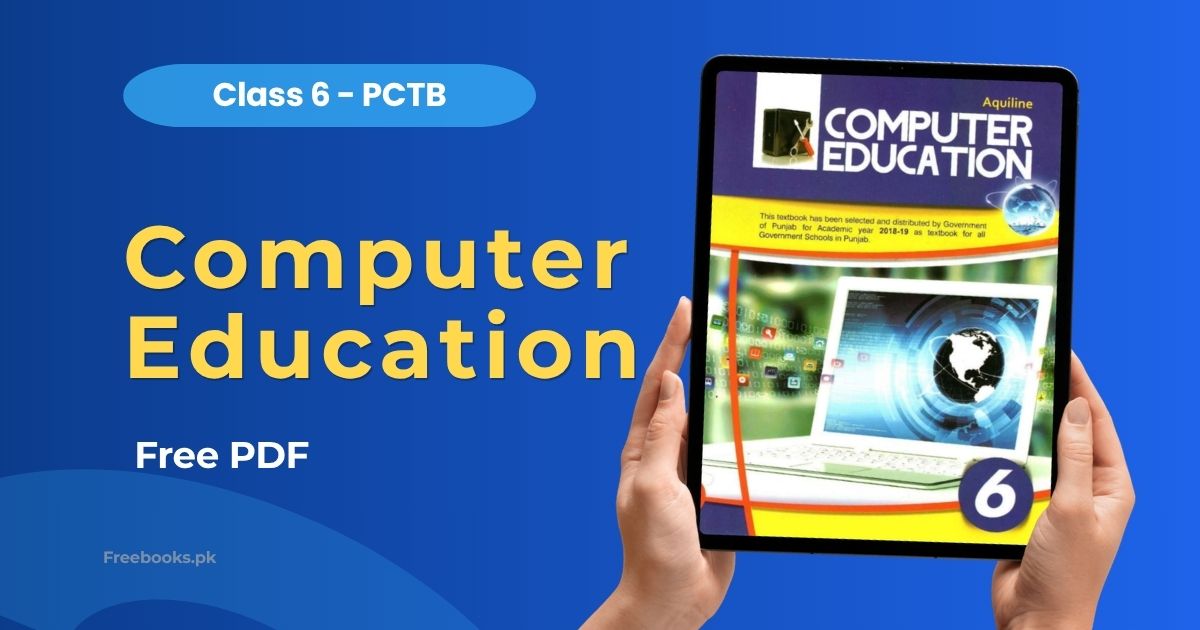
Computer Education for Class 6 is an official textbook selected and distributed by the Government of Punjab for all government schools in Punjab. It is approved by the Federal Ministry of Education (Curriculum Wing), Islamabad, under the National Curriculum 2006 and the National Textbook and Learning Materials Policy 2007.
Designed for Class 6 students, this book builds foundational computer literacy through practical, hands-on units. It covers hardware, operating systems, commonly used software, and the internet — making it an essential resource for students preparing for school exams and developing real-world digital skills.
Book Overview
- Class: 6
- Subject: Computer Education
- Curriculum: National Curriculum 2006
- Board: Punjab Curriculum and Textbook Board (PCTB)
- Authors: Muhammad Nadeem, Usman Mushtaq, Muhammad Usman Sattar, Arshad Shaheen
- Publisher: Aquiline
- Total Units: 4
- Format: PDF
Chapter List
Unit 1 – Introduction to Computers
This unit introduces students to the basics of computers. Topics include what a computer is and its different types, the main components of a computer system (hardware and software), and how a computer processes data and works. Students gain a clear understanding of the role computers play in everyday life.
Unit 2 – Introduction to Windows
Students are introduced to the Windows operating system through practical, step-by-step guidance. Topics cover starting and navigating Windows, working with the desktop, icons, and taskbar, and managing files and folders. This unit builds confidence in using a computer independently.
Unit 3 – Commonly Used Software
This unit teaches students how to use essential software applications. Students learn to work with Microsoft Paint for drawing and editing images, use a Typing Tutor to improve keyboard skills, create documents with Microsoft Word, and use Media Player for playing audio and video files.
Unit 4 – The Internet and World Wide Web
The final unit introduces students to the internet and how it works. Topics include the basics of internet connectivity, web browsers, and how to navigate websites. Students also learn about the World Wide Web, its uses, and how to search for information online safely and effectively.
Download Computer Education Class 6 PDF
Click the button below to download the Computer Education Class 6 PCTB PDF for free.
Who Should Read This Book
This book is for Class 6 students studying Computer Education at government and affiliated schools in Punjab. It covers the full computer syllabus for the academic year and is equally useful for students who want to build basic computer skills in hardware, software, and internet use.
Applicable Boards
This textbook is approved by the Punjab Curriculum and Textbook Board (PCTB) and follows the National Curriculum 2006. Students from other Punjab-affiliated schools following a similar computer syllabus for Class 6 may also find this book useful for study and exam preparation.
FAQs
Is this the official PCTB Computer Education textbook for Class 6?
Yes, this textbook was selected and distributed by the Government of Punjab for all government schools in Punjab. It is approved by the Federal Ministry of Education under the National Curriculum 2006, with NOC No. PTB(C.W)/11/70.
How many units are in this book?
This book has 4 units covering Introduction to Computers, Introduction to Windows, Commonly Used Software (Paint, Typing Tutor, Word, Media Player), and The Internet and World Wide Web.
What software does this book teach?
The book teaches students to use Microsoft Paint, a Typing Tutor, Microsoft Word, and Windows Media Player. It also covers how to use the internet and browse the World Wide Web.
Can students from other boards use this book?
Students from other Punjab-affiliated schools following the National Curriculum 2006 Computer Education syllabus for Class 6 may also use this book for study and exam preparation, as the content and topics are largely similar.
Related Books
- Computer Science Class 7
- Computer Science Class 6
- Arabic Class 6
- Urdu Class 6
- Islamiat Class 6
- Geography Class 6
© Copyright Policy
Freebooks.pk is an educational resource for students in Pakistan. Textbooks and other books belong to their respective boards, authors and publishers, and all rights remain with them. If you are the copyright holder of any material on this page and want it changed or removed, please contact us or file a request under our DMCA policy. We review every request and remove reported content promptly.
Azan malik