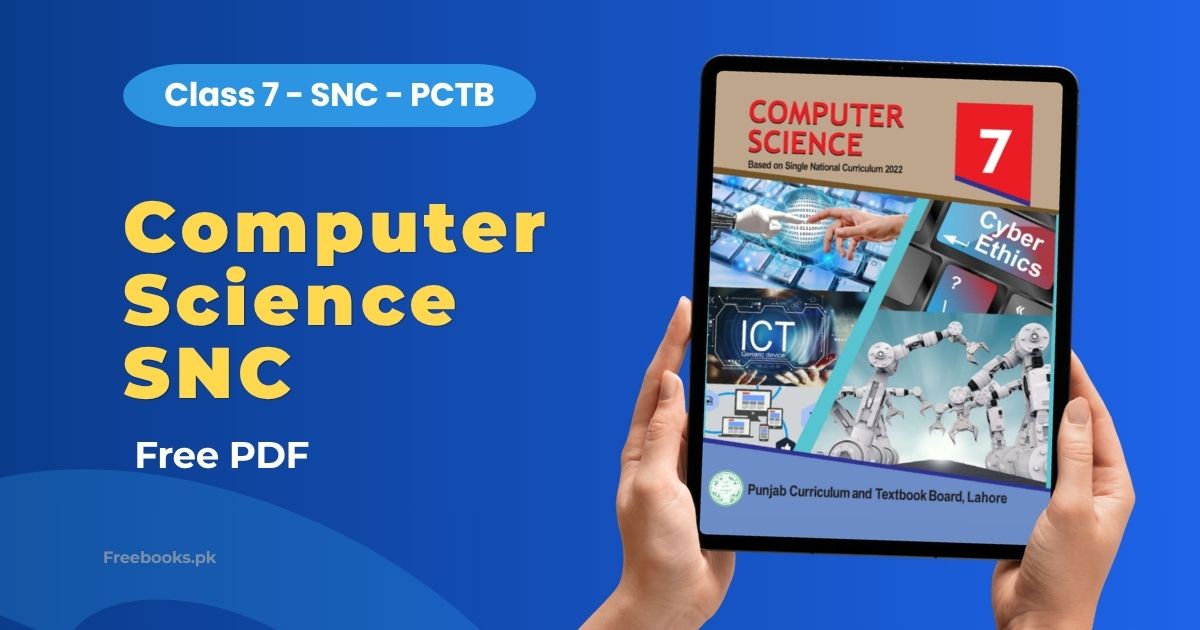
Computer Science for Class 7 is the official Single National Curriculum (SNC) 2022 textbook published by the Punjab Curriculum and Textbook Board (PCTB), Lahore, in English medium. It is part of the official syllabus for Class 7 students and covers six units, from emerging technologies and digital skills to computational thinking, programming, digital citizenship, and entrepreneurship.
For Class 7 students, Computer Science introduces both the concepts behind everyday tech, like AI and VR, and hands-on digital skills in Word, PowerPoint, email, and Scratch programming. This page breaks down every unit with a clear summary and its important questions, making it easier to revise before the exam.
Book Overview
| Class | 7 |
| Subject | Computer Science |
| Board | Punjab Board (PCTB, Lahore) |
| Curriculum | Single National Curriculum (SNC) 2022 |
| Edition | 2023-24 |
| Total Units | 6 |
| Total Pages | 113 |
| Medium | English |
| Format | PDF (official PCTB copy) |
Chapter List
Unit 1: Emerging Technologies
This unit introduces emerging technologies, robotics, artificial intelligence, self-driving cars, 3D printing, virtual reality (VR), augmented reality (AR), and 3D/holographic imaging, explaining how each works and where it is applied. It then covers computer ports (USB, Type-C, HDMI, SATA, PCIe) and how they connect peripherals, including CPU versus GPU architecture, closing with peripherals like the mouse, keyboard, printers, scanners, webcams, and graphics cards.
Important Questions:
- What is Artificial Intelligence, and how is it helpful to humans? AI refers to technologies that make a device act and think like a human, using features such as voice recognition and decision-making to assist people.
- Differentiate between Virtual Reality (VR) and Augmented Reality (AR). VR lets a person interact with a fully artificial three-dimensional environment, while AR overlays computer-generated content on top of the real-world environment.
- What is the usage of a SATA port? SATA lets storage devices like hard drives communicate with the motherboard over a high-speed serial cable, and drives can be plugged in or out without switching off the computer.
- What is a computer mouse, and what are its main functions? A small input device used to control the on-screen cursor; its functions include moving the pointer, selecting, dragging-and-dropping, and scrolling.
Unit 2: Digital Skills
This unit teaches practical digital skills using MS Word, PowerPoint, and email. In Word, it covers formatting, inserting images and tables, cut/copy/paste, spell-check, and lists. For PowerPoint, it explains adding slides, inserting objects and notes, and timed slideshows. The email section covers creating a Gmail account, composing messages with attachments, and protocols like POP, IMAP and SMTP.
Important Questions:
- Differentiate between Save and Save As. Save updates the existing file in its current name and location, while Save As creates a new file letting you choose a new name, location, or format.
- What items are needed to send an e-mail? An e-mail address, a password, the recipient’s e-mail address, and an internet connection.
- Explain the standard email protocols SMTP and POP3. SMTP transfers emails between clients and servers, while POP is a one-way protocol email clients use to download messages from the server.
- What is the difference between a numbered list and a bulleted list? A numbered list shows a corresponding number for each item in sequence, while a bulleted list uses plain symbols with no numbering.
Unit 3: Computational Thinking
This unit defines computational thinking through decomposition, pattern recognition, generalization/abstraction, and algorithm design. It details algorithm characteristics and types (brute force, recursive, sorting, divide-and-conquer), plus sequence, selection, and loop structures. Flowcharts are introduced with their standard symbols and drawing rules, alongside worked examples like summing numbers and checking even/odd.
Important Questions:
- What is Decomposition in computational thinking? Breaking a complex problem into smaller, more manageable parts so each part can be solved more easily.
- What is the difference between a Finite loop and an Infinite loop? A finite loop has an explicit end and executes a fixed number of times, while an infinite loop keeps running because its condition never becomes false.
- List the characteristics of a good algorithm. Clear and unambiguous, well-defined inputs and outputs, terminates in finite time, feasible, and independent of any programming language.
- How is the efficiency of a solution measured? Mainly by the number of steps the solution takes, with fewer steps generally considered more efficient.
Unit 4: Programming
This unit explains how computers represent data using binary code built from bits and bytes, teaching conversion between binary and decimal, and how ASCII encodes text and RGB/hex values encode color. It shifts to Scratch programming, covering sprites, the block-based interface, event-listener blocks for keyboard-controlled movement, variables, and Repeat/Forever loop blocks to build simple interactive games.
Important Questions:
- Describe how computers can save information using binary codes. Computers represent information as combinations of 0s and 1s, called bits, stored as open or closed electronic switches; eight bits form a byte.
- Differentiate between binary and decimal number systems. Decimal is base-10 and uses ten digits (0-9), while binary is base-2 and uses only two digits (0 and 1).
- How does a computer convert a decimal number into binary? The decimal number is divided repeatedly by 2, noting each remainder, until the quotient reaches 0; the remainders are written in reverse order.
- How is text represented in binary inside a computer? Each character is assigned a binary number using a code such as ASCII (7-bit, 128 characters), or Unicode for languages needing more characters.
Unit 5: Digital Citizenship
This unit examines digital citizenship, ethics, and issues like misuse of personal information and deepfakes. It surveys internet uses in business, e-commerce, and social networking, teaches students to distinguish copyright, plagiarism, and piracy, and covers common scams like phishing, along with privacy-protection tips such as strong passwords and VPNs, closing with internet dangers like cyberbullying.
Important Questions:
- What is phishing, and how does it work? A scammer sends a malicious link designed to trick a person into revealing sensitive information, letting the attacker observe the victim’s activity and bypass security.
- Differentiate between piracy and plagiarism. Piracy is illegally reproducing copyrighted material, while plagiarism is presenting someone else’s work or ideas as your own.
- What is CRM, and how does it help businesses? Client Relationship Management software helps businesses better serve customers and find new ones by customizing interactions instead of offering generic ones.
- Name three ways to protect your online privacy. Use strong, unique passwords, use a VPN to encrypt your data, and avoid clicking suspicious links or attachments.
Unit 6: Entrepreneurship in Digital Age
This unit introduces entrepreneurship in the digital age, the key sections of a business plan (executive summary, market strategies, competitor analysis, financial documents), and terms like value proposition and quality assurance. It details nine digital marketing techniques (social media, SEO, email, content marketing), traces the origin stories of Twitter and Snapchat, and closes by describing how technology enables entrepreneurship through digital platforms.
Important Questions:
- What is the difference between a payment and a transaction? A payment is the transfer of money or value for goods or services, while a transaction is the complete agreement between a buyer and seller to exchange goods for money.
- What are the key sections of a business plan? An executive summary, business description, market strategies, competitor analysis, a product/service development plan, an operations plan, and financial information.
- How does search engine optimization (SEO) help a business grow? SEO improves a website’s visibility in search results, making it easier for customers to find the business and increasing traffic.
- Name any four digital marketing techniques. Social media marketing, search engine optimization, email marketing, and content marketing.
Download Computer Science Class 7 PDF
Your free PDF is ready. Click the button below to download the complete Computer Science Class 7 SNC textbook.
⬇ Download from PCTB (Official Copy)This file is hosted on the official Google Drive of the Punjab Curriculum & Textbook Board (PCTB). Freebooks.pk does not host this file.
An older edition of this book is also available:
⬇ Download PDF (Older Edition)Who Should Read This
This book is for Class 7 students following the Punjab Board (PCTB) Single National Curriculum who study Computer Science. It is especially useful for building foundational digital skills and programming concepts ahead of the annual exam.
Applicable Boards
This textbook is published by PCTB under the Single National Curriculum and is used across Punjab Board Class 7 schools. Since the SNC is designed as a unified framework, students from other provincial and federal boards following the SNC syllabus can also use it as a reference.
FAQs
Is this the Computer Science book for Class 7?
Yes, this is the official Class 7 Computer Science textbook under the Single National Curriculum (SNC) 2022, published by the Punjab Curriculum and Textbook Board (PCTB).
Can students from other boards use it?
Yes, since this book follows the Single National Curriculum, students from other boards teaching the SNC syllabus can also use it as a reference.
Is this the latest edition?
This page covers the 2023-24 SNC edition. An older edition is also available for download above if needed.
Does it include solved exercises?
Yes, this page covers every unit with its content explained and the important questions asked at the end of each unit.
What does this book cover?
It covers six units: Emerging Technologies, Digital Skills, Computational Thinking, Programming, Digital Citizenship, and Entrepreneurship in the Digital Age.
Is the PDF free to download?
Yes, the Computer Science Class 7 PDF is completely free to download and read on any device.
Related Books
- Computer Science Class 8
- Computer Science Class 6
- Guide Class 7
- Social Studies Class 7
- Mathematics Class 7 (English Medium)
- General Science Class 7 (English Medium)
© Copyright Policy
Freebooks.pk is an educational resource for students in Pakistan. Textbooks and other books belong to their respective boards, authors and publishers, and all rights remain with them. If you are the copyright holder of any material on this page and want it changed or removed, please contact us or file a request under our DMCA policy. We review every request and remove reported content promptly.