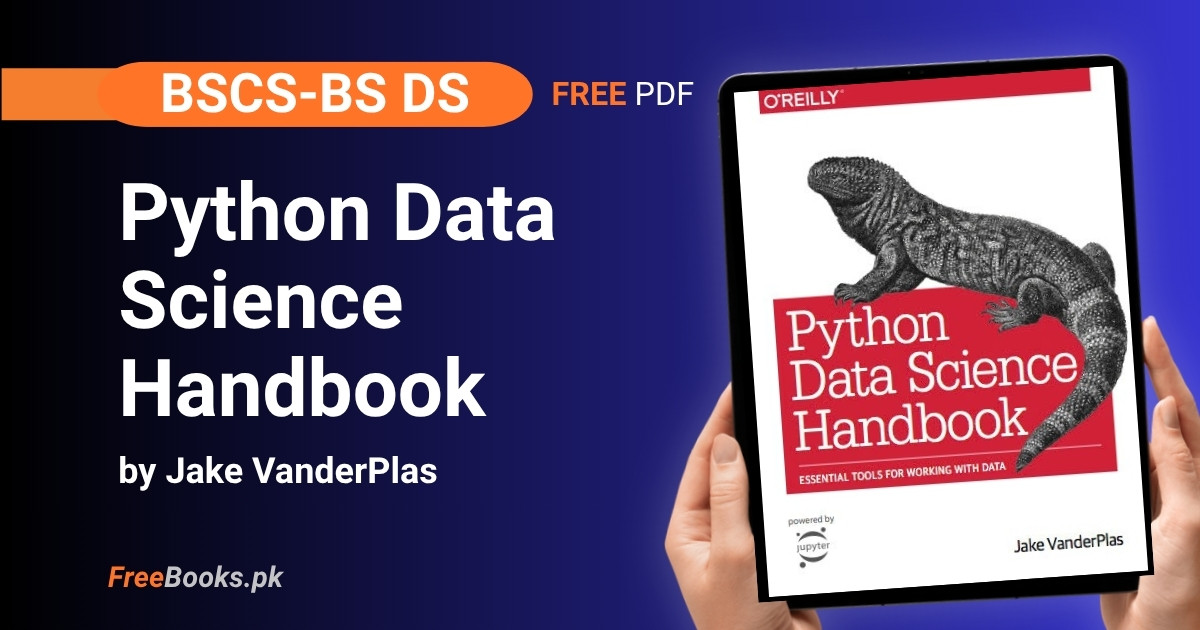
BS Data Science, BSCS, and BS AI students who already know basic Python can read the complete book “Python Data Science Handbook” (2nd Edition) by Jake VanderPlas free online, straight from the author’s own official site. It is the standard hands-on reference for the core Python data-science stack — IPython/Jupyter, NumPy, Pandas, Matplotlib, and Scikit-Learn — and is widely assigned as a companion text for Data Science with Python, Data Analysis, and Applied Machine Learning courses.
The 2nd edition (O’Reilly, 2023) is published free by the author as a full set of runnable Jupyter notebooks and an HTML site, not as a downloadable PDF. Every code example in the book can be run directly in the browser via Google Colab or Binder, or downloaded and run locally — there is no official free PDF edition, only the paid O’Reilly ebook/print edition, so this page links to the author’s official notebooks and site rather than to any file.
Book Overview
| Course | Data Science with Python / Applied Machine Learning / Data Analysis |
| Degree Programs | BSCS, BS Data Science, BS AI, and any program’s applied Python data-science course |
| Level | University — intermediate (assumes working knowledge of core Python) |
| Edition | 2nd Edition (O’Reilly, 2023) — ISBN 978-1-098-12122-8 |
| Author | Jake VanderPlas |
| Structure | 5 parts, 63 sections — Jupyter & IPython, NumPy, Pandas, Matplotlib, and Machine Learning with Scikit-Learn |
| Exercises | No traditional end-of-chapter exercise sets — every section is a runnable notebook meant to be executed and modified directly |
| Language | English |
| License | Text: Creative Commons Attribution-NonCommercial-NoDerivs 3.0 (CC BY-NC-ND) — Code: MIT License — Model: Link-only |
| Format | Free HTML site and Jupyter notebooks, runnable online via Google Colab or Binder — no official free PDF |
Chapter List
Part I §1.1–1.3: Getting Help, Shell Shortcuts, and Magic Commands
Difficulty: Easy · Key topics: IPython/Jupyter shell, ? and ?? help operators, tab completion, wildcard matching, keyboard shortcuts, magic commands (%run, %timeit)
The book opens by treating IPython and Jupyter as the working environment for the rest of the book, not just a chapter to skim. It shows how the ? and ?? operators pull up a function’s docstring and, when available, its source code directly from the shell, and how Tab completion and * wildcard matching let you explore an unfamiliar package’s contents without leaving the prompt. It then covers the IPython shell’s Emacs-style navigation and history shortcuts, and introduces magic commands — %run to execute an external script, and %timeit to benchmark a single line or, with %%timeit, a whole cell.
Key Points:
object?shows a docstring;object??shows source code too, but only for pure-Python objects — built-ins implemented in C fall back to the docstring.- Tab completion after
L.lists an object’s public methods; typingL._reveals private/dunder methods, which are hidden by default. - Wildcard search with
*, e.g.*Warning?orstr.*find*?, matches names containing a pattern anywhere, not just at the start. Ctrl-ropens a reverse-search through the entire command history, which IPython stores in a SQLite database, not just the current session.%timeitauto-repeats a fast statement many times for a stable average, while%timeis better for one-off or long-running commands since it does not hide system-call overhead.%run script.pyexecutes a file inside the current IPython session, and every function or variable it defines stays available afterward.
Practice Tip: Before importing an unfamiliar package, run import <TAB> and then <package>.<TAB> in IPython instead of opening its documentation in a browser — the whole point of this chapter is that the shell itself is usually the fastest reference.
Common Mistake: Students expect ?? to always show source code and are confused when it silently falls back to the docstring — this happens for anything implemented in C, including basic built-ins like len.
Important Questions:
- What is the difference between
object?andobject??in IPython?object?prints the object’s docstring, type, and signature.object??attempts to print its full source code as well; if the object is implemented in a compiled language rather than pure Python (as with many built-ins),??falls back to showing the same output as?. - Why does
%timeittypically report faster times than%timefor the same statement?%timeitruns the statement many times and disables Python’s automatic garbage collection during timing to prevent it from interfering with the measurement, giving a cleaner average.%timeruns the statement only once and is subject to normal system overhead and garbage collection, so it is better suited to slow, one-off commands.
Part I §1.4–1.7: IPython History, Shell Integration, and Debugging
Difficulty: Easy · Key topics: In/Out history, underscore shortcuts, shell commands with !, %xmode, %debug/ipdb, %prun, %lprun, %memit
IPython keeps two special objects, In (a list of past input) and Out (a dictionary of past outputs), so earlier results can be reused even if they were never assigned to a variable, and a trailing ; suppresses a result from both display and Out. The chapter then shows how any line prefixed with ! runs on the system shell rather than in Python, how {variable} interpolates a Python value into that shell command, and why %cd (not !cd) is needed to actually change directory persistently. It closes with debugging and profiling tools: %xmode controls how much traceback detail is shown, %debug drops into the ipdb debugger at the point of the last exception, and %prun/%lprun/%memit profile a function’s time and memory use.
Key Points:
Outis a dictionary keyed by input line number, soOut[2]or the shortcut_2retrieves a specific earlier result; a single_always holds the most recent output.- A statement ending in
;is computed but not displayed and not stored inOut. !commandruns in a temporary subshell with no memory between lines, which is why!cd ..has no lasting effect and the%cdmagic must be used instead.%xmodetakesPlain,Context(the default), orVerbose, trading traceback brevity for detail about function arguments at each frame.%debug, run right after an exception, opensipdbat the point of failure so you can inspect variables withpand step through the stack withs/n/c.%prunprofiles which function calls take the most total time;%lprunand%mprun(from theline_profiler/memory_profilerpackages) go line by line for time and memory respectively.
Practice Tip: Turn on %pdb once at the start of a debugging session instead of typing %debug after every crash — it automatically drops you into the debugger the instant any exception is raised.
Common Mistake: Typing !cd some_folder and expecting later ! commands to run inside it — each ! line is its own subshell, so the directory change is silently lost; %cd is the only way to change directory for the rest of the session.
Important Questions:
- Why does
!cd ..fail to change the working directory for later shell commands in IPython, while%cd ..works? Each!-prefixed command runs in its own temporary subshell process that exits immediately after the command finishes, so any directory change it makes does not persist.%cdis a magic command that changes the working directory of the IPython session itself, so the change carries over to every subsequent command. - What is the practical difference between
%prunand%lprun?%prunprofiles an entire function call and reports how much total time was spent inside each function it calls, which is useful for finding which function is the bottleneck.%lprun, from the separateline_profilerpackage, breaks that down further to show the time spent on each individual line inside a chosen function.
Part II §2.1–2.2: NumPy Array Fundamentals
Difficulty: Medium · Key topics: fixed-type arrays, np.array, dtype, multidimensional arrays, indexing, slicing as views, reshape, concatenate/split
This block starts by explaining why NumPy exists at all: a Python integer is really a small C structure carrying type and reference-count information, so a Python list of numbers stores that overhead once per element, while a NumPy array stores one dtype for the whole block plus a single contiguous buffer of raw values. It then covers building arrays from lists or from scratch (np.zeros, np.arange, and friends), NumPy’s fixed set of integer, float, and complex dtypes, and the core array attributes ndim, shape, size, and dtype. The chapter finishes with indexing and slicing syntax that mirrors Python lists but returns views rather than copies, plus reshape, np.concatenate/vstack/hstack, and np.split/hsplit/vsplit for restructuring arrays.
Key Points:
- Every element in a NumPy array shares one
dtype; mixing types on creation causes NumPy to silently upcast everything (e.g., ints become floats) rather than raise an error. ndim,shape,size, anddtypedescribe an array’s number of dimensions, size along each dimension, total element count, and element type respectively.- Slicing a NumPy array returns a view into the same memory, not a copy — modifying a slice modifies the original array; use
.copy()when an independent copy is needed. reshape()requires the new shape’s total size to match the original array’s size exactly, and it usually returns a no-copy view.np.concatenatejoins arrays along an existing axis and takes a list/tuple of arrays;np.vstack/np.hstackare clearer for combining arrays of mixed dimensions.- Assigning a float into an integer-typed array silently truncates the decimal part instead of raising an error.
Practice Tip: Run x = np.arange(10); y = x[:3]; y[0] = 99; print(x) in a notebook the first time you use slicing — seeing the original array change is the fastest way to internalize that NumPy slices are views, not copies.
Common Mistake: Assuming arr[0:5] on a NumPy array behaves like a Python list slice (an independent copy). Because it is a view, code that “backs up” a slice before modifying the array, expecting the backup to stay unchanged, silently corrupts its own backup.
Important Questions:
- Why is a NumPy array generally more memory- and time-efficient than an equivalent Python list of numbers? A Python list stores a separate full Python object (with its own type tag and reference count) for every element, even when all elements are the same type, and operating on it requires Python to re-check each element’s type at every step. A NumPy array stores one dtype for the whole array plus a single contiguous block of raw values, avoiding per-element overhead and allowing operations to run in compiled code.
- If
y = x[2:5]and you then modifyy[0], what happens tox? Because NumPy slices return views rather than copies,yshares the same underlying memory buffer asx. Modifyingy[0]changes the corresponding element inxas well;y = x[2:5].copy()must be used to get an independent array instead.
Part II §2.3–2.5: Vectorized Computation — Ufuncs, Aggregations, and Broadcasting
Difficulty: Medium · Key topics: universal functions (ufuncs), vectorization, np.sum/min/max, axis argument, broadcasting rules
This block explains why looping over a NumPy array in plain Python is slow — CPython must re-examine each element’s type and look up the right function on every iteration — and how ufuncs push that loop down into compiled code so that x + 1 or np.sqrt(x) run orders of magnitude faster on large arrays. It covers the standard arithmetic, trigonometric, and exponential/logarithmic ufuncs, then moves to aggregation functions like np.sum, np.min, and np.max, including the easily-confused axis argument, which names the dimension being collapsed rather than the dimension kept. It closes with broadcasting: the three rules NumPy uses to apply an operation between arrays of different shapes without ever physically copying the smaller array in memory.
Key Points:
- A ufunc like
np.addornp.sqrtapplies element-wise in compiled code; Python’s+and**operators on arrays are simply convenient wrappers around such ufuncs. axis=0on a 2D array collapses (aggregates across) the rows, producing one result per column — the opposite of what many people expect from the word “axis.”- Most aggregation functions have a NaN-safe counterpart (
np.nansum,np.nanmean, etc.) that ignores missing values instead of propagating them. - Broadcasting rule 1: arrays with fewer dimensions are padded with size-1 dimensions on the left; rule 2: dimensions of size 1 are stretched to match; rule 3: any other mismatch raises an error.
- Broadcasting never actually duplicates data in memory — NumPy handles the “stretching” internally, which is why it is efficient even for large arrays.
ufunc.reduce(e.g.,np.add.reduce) repeatedly applies an operation until one value remains, which is hownp.sumis implemented under the hood.
Practice Tip: Whenever you see a Python for loop iterating over a NumPy array element by element, stop and ask whether it can become a single vectorized expression — a %timeit comparison on even a 1,000,000-element array will usually show a two-orders-of-magnitude speedup.
Common Mistake: Calling x.sum(1) expecting the same result as Python’s built-in sum(x, 1) — np.sum‘s second argument is the axis to reduce along, while the built-in sum‘s second argument is a starting value; confusing the two silently produces a wrong number, not an error.
Important Questions:
- In
data.sum(axis=0)on a 2D array, does the result contain one value per row or one value per column? One value per column. Theaxisargument names the dimension that gets collapsed during the aggregation, soaxis=0collapses the rows, producing a result with one entry per column, not per row. - What are NumPy’s three broadcasting rules, in order? (1) If two arrays differ in number of dimensions, the smaller-dimensional array’s shape is padded with 1s on its left side. (2) If the shapes disagree in any dimension where one array has size 1, that dimension is stretched to match the other array’s size. (3) If the sizes disagree in any dimension and neither is 1, NumPy raises an error.
Part II §2.6–2.9: Boolean Masking, Fancy Indexing, Sorting, and Structured Arrays
Difficulty: Medium · Key topics: comparison ufuncs, Boolean masks, & vs and, fancy indexing, np.sort/argsort, np.partition, structured dtypes
Comparison operators like < and > are themselves ufuncs that return Boolean arrays, and this block shows how to combine them with &, |, and ~ (never Python’s and/or, which only evaluate a single Boolean truth value for the whole array) to answer compound questions such as counting days with rainfall in a given range. It then introduces fancy indexing — passing an array of indices instead of a single index or slice — whose result shape follows the shape of the index array, and shows how it combines with slicing and masking for tasks like selecting random rows. The block closes with np.sort/np.argsort and the faster np.partition for finding just the k smallest values, plus structured arrays, which let a single NumPy array hold named, differently-typed fields (an early motivation for Pandas, covered next).
Key Points:
- Comparison operators (
<,==, etc.) on arrays are ufuncs and always return a Boolean array, which can then be used directly as a mask:x[x > 5]. &/|/~do bitwise, element-by-element Boolean logic on arrays;and/ortry to evaluate the truth of the whole array at once and raise aValueErroron any array with more than one element.- Fancy indexing (
x[[1, 3, 5]]orx[idx_array]) returns an array shaped like the index array, not like the array being indexed. np.argsortreturns the indices that would sort an array, which is the basis for algorithms like nearest-neighbor search when combined withnp.argpartition.np.partition(x, k)puts the k smallest values to the left of the partition (in arbitrary order) without fully sorting the array, faster thannp.sortwhen only the smallest few values are needed.- A structured array’s dtype can be built from a dictionary of names and format codes (e.g.,
'U10'for a 10-character Unicode string,'i4'for a 32-bit integer), and fields are accessed by name likedata['age'].
Practice Tip: When a Boolean condition on an array behaves unexpectedly, print the mask itself (print(mask)) before indexing with it — it is usually immediately obvious whether the logic is wrong or whether and/or was used by mistake instead of &/|.
Common Mistake: Writing rainfall > 10 & rainfall < 20 without parentheses, expecting it to filter values between 10 and 20. Because & has higher operator precedence than the comparisons here, this actually evaluates as rainfall > (10 & rainfall) < 20; the correct form is (rainfall > 10) & (rainfall < 20).
Important Questions:
- Why does
if x > 3 and x < 10:raise aValueErrorwhenxis a NumPy array with several elements, but works fine with&? Python’sandtries to reduce each side to a single Boolean value, but a multi-element array has no single unambiguous truth value, so Python raises aValueError.&instead performs element-by-element bitwise AND and returns a full Boolean array, which is what masking operations expect. - What does fancy indexing return when the index array itself is two-dimensional? The result takes on the shape of the index array, not the shape of the array being indexed. Indexing a 1D array with a 2D array of indices produces a 2D array of results, because fancy indexing follows the broadcasted shape of the indices supplied.
Part III §3.1–3.4: Pandas Series, DataFrame, Indexing, and Missing Data
Difficulty: Medium · Key topics: Series, DataFrame, Index, loc/iloc, NaN vs None, dropna/fillna
Pandas builds on NumPy by attaching explicit labels to data: a Series is like a one-dimensional NumPy array but with an explicit, arbitrary index rather than an implicit integer one, and a DataFrame is a collection of Series that share an index, so it can be read either as a generalized 2D array or as a dictionary mapping column names to Series. Because plain data[1] is ambiguous for an integer-indexed Series (is 1 a label or a position?), Pandas provides loc (always by explicit label) and iloc (always by implicit position) as unambiguous indexers, and the same pair works for DataFrame rows and columns. The block closes with missing data: Pandas represents it with NaN for floating-point data and None/NaN interchangeably for object data, automatically upcasting an integer column to float the moment a missing value is introduced, and provides isnull/notnull/dropna/fillna to detect, remove, or fill it.
Key Points:
- A
Seriescombines a sequence of values with an explicitindex; unlike a Python dict, it still supports NumPy-style slicing. data['a':'c'](label-based slicing) includes the final label in the result;data[0:2](position-based) excludes the final position — the two conventions differ.localways indexes by the explicit label, andilocalways indexes by the implicit integer position, regardless of what the actual index labels are.- Setting a single value in an integer
Series/DataFramecolumn tonp.nansilently upcasts the whole column frominttofloat64. dropna()on aDataFramedefaults to dropping any row containing at least one null (how='any');how='all'only drops rows that are entirely null, andthresh=nkeeps rows with at leastnnon-null values.fillna()can fill with a constant, or propagate values forward (method='ffill') or backward (method='bfill') from neighboring entries.
Practice Tip: Whenever an integer-looking column mysteriously shows decimal points like 3.0 instead of 3, check df.isnull().sum() first — it is almost always because a missing value forced Pandas to upcast that column to float64.
Common Mistake: Using plain bracket indexing like data[1] on a Series whose index happens to be integers, then being surprised when it is treated as a label rather than a position (or vice versa on a slice) — loc/iloc should be used explicitly instead.
Important Questions:
- What is the practical difference between
df.loc[]anddf.iloc[]?df.loc[]always selects using the DataFrame’s explicit index labels and column names, and when slicing withloc, the final label is included.df.iloc[]always selects using implicit, zero-based integer positions, and slicing withilocexcludes the final position, matching normal Python slicing. - What happens to an integer-dtype Pandas column the moment one of its values is set to
np.nan? Pandas automatically upcasts the entire column from an integer dtype tofloat64, because NumPy has no native “missing integer” sentinel the way it hasNaNfor floats.
Part III §3.5–3.9: Combining and Reshaping Data — MultiIndex, Merge, GroupBy, and Pivot Tables
Difficulty: Medium · Key topics: MultiIndex, stack/unstack, pd.concat, pd.merge, one-to-one/many-to-many joins, groupby split-apply-combine, pivot_table
Hierarchical indexing (MultiIndex) lets a single-level Series or DataFrame represent data indexed by two or more keys, and stack/unstack convert between a multiply-indexed Series and an equivalent DataFrame; slicing a MultiIndex requires it to be sorted first, or Pandas raises an error. pd.concat stacks Series/DataFrame objects along an axis and, unlike np.concatenate, preserves indices even when that creates duplicates, while pd.merge performs SQL-style one-to-one, many-to-one, and many-to-many joins, with the how keyword (inner, outer, left, right) controlling what happens to keys that exist in only one input. The block finishes with groupby, which follows a split–apply–combine pattern to compute a per-group statistic without ever materializing the intermediate groups, and pivot_table, a two-dimensional generalization of groupby that replaces a multi-step groupby/unstack chain with one readable call.
Key Points:
stack()converts columns into an inner index level (widening aDataFrameinto a multiply-indexedSeries), andunstack()does the reverse.- Many
MultiIndexslicing operations raise an error unless the index has first been sorted withsort_index(). pd.mergeautomatically detects the shared column name(s) between twoDataFrames to join on, unlesson,left_on/right_on, orleft_index/right_indexis specified explicitly.- The
howkeyword onpd.mergedefaults to'inner'(only keys present in both inputs);'outer'keeps all keys and fills gaps withNaN;'left'/'right'keep all keys from one side only. groupby('key')returns a lazyDataFrameGroupByobject — no computation happens until an aggregate like.mean()or.sum()is actually called on it.pivot_tableis functionally a two-dimensionalgroupby: it takesvalues,index, andcolumnsarguments and anaggfunc(default'mean'), and can add row/column totals withmargins=True.
Practice Tip: When a merge silently drops rows you expected to see, run it once with how='outer' and check for NaN rows in the result — those NaNs point exactly at the mismatched keys causing rows to be lost under the default how='inner'.
Common Mistake: Slicing a MultiIndex (data.loc['a':'b']) before sorting it, and getting a confusing error instead of a clear explanation — the fix is simply data = data.sort_index() before any partial slice.
Important Questions:
- What does
df.groupby('key')return before any aggregation method is called on it? It returns aDataFrameGroupByobject, not a set of separate DataFrames — a lazy view where nothing is actually split or computed until an aggregate method such as.sum()or.mean()is called. - With
pd.merge, what is the difference betweenhow='inner'(the default) andhow='outer'?'inner'keeps only rows whose key is present in both DataFrames (the intersection).'outer'keeps every row from both DataFrames (the union), fillingNaNwhere a key had no match on the other side.
Part III §3.10–3.12: String Operations, Time Series, and High-Performance Pandas
Difficulty: Medium · Key topics: .str accessor, regex methods, Timestamp/DatetimeIndex, pd.date_range, resample vs asfreq, rolling, pd.eval/query
The .str accessor on a Series of strings vectorizes Python’s own string methods (.str.upper(), .str.split(), and so on) while correctly propagating missing values, and also exposes regex-based methods like .str.extract() and .str.contains() for messy, real-world text cleanup. Pandas’ Timestamp/DatetimeIndex objects combine the ease of Python’s datetime with the compact, vectorized storage of NumPy’s datetime64, and pd.date_range generates regular sequences of dates or times from a start point plus either an end point or a count, using frequency codes like 'D', 'H', or 'MS'. The block closes with time-series-specific operations — resample (which aggregates, e.g., averaging a year of daily data down to yearly points) versus the leaner asfreq (which just selects a value at each new point), and rolling for moving-window statistics — and with eval/query, which evaluate a string expression using the fast NumExpr engine to avoid allocating large temporary arrays for compound expressions.
Key Points:
.str.slice(0, 3)and the equivalent shorthand.str[0:3]behave like Python string slicing but apply across the wholeSeriesat once, skipping missing values automatically.pd.to_datetimeparses a single date into aTimestampor a list of dates into aDatetimeIndex, supporting the same vectorized arithmetic as NumPy’sdatetime64.resampleis fundamentally an aggregation;asfreqis fundamentally a selection — the two give different numbers on the same downsample.DataFrame.rolling(window).mean()(and similar) computes a moving-window statistic, useful for smoothing noisy time series like daily bicycle counts.df.query('col1 < col2')reads column names directly as variables inside a string expression, and can reference a Python variable with the@prefix.pd.eval/df.evalavoid allocating a full temporary array for every intermediate step of a compound expression, mainly saving memory rather than time on smaller datasets.
Practice Tip: Before using str.extract() with a custom regular expression on messy scraped data, test the pattern on one sample string with Python’s own re module first — debugging a broken regex is much faster outside the vectorized .str call than inside it.
Common Mistake: Downsampling a time series with asfreq() when an average was actually wanted (or vice versa) — because both methods run without error and produce plausible-looking numbers, picking the wrong one is easy to miss unless the two are compared directly.
Important Questions:
- What is the key difference between
series.resample('A').mean()andseries.asfreq('A')when downsampling daily data to yearly points?resample('A').mean()averages every daily value that fell within each year.asfreq('A')simply reports whatever single value happened to land on the last day of each year, ignoring every other day — the two can give very different results on the same input. - Why does
df.query('A < B')typically outperformdf[df['A'] < df['B']]on a large DataFrame? The direct Boolean-indexing version allocates a full temporary Boolean array before it can filter.query()uses the NumExpr engine to evaluate the comparison element-by-element without building that full intermediate array in memory first.
Part IV §4.1–4.7: Core Plot Types — Lines, Scatter, Error Bars, Density, Histograms, Legends, Colorbars
Difficulty: Easy · Key topics: fig/ax, plt.plot vs plt.scatter, plt.errorbar, contour/contourf/imshow, plt.hist, plt.legend, colormaps
Matplotlib’s object-oriented interface centers on two objects — a Figure (the overall container) and one or more Axes (the actual plotting area with ticks and labels) — and the chapter shows both this interface and the older, stateful MATLAB-style plt interface for basic line and scatter plots. plt.plot is preferred over plt.scatter for large datasets because every marker is identical and rendered once, while plt.scatter supports per-point size and color at the cost of speed; errorbar and fill_between then extend this to show measurement uncertainty as discrete bars or a continuous shaded band. The block covers density/contour visualization with contour, contourf, and imshow, one- and two-dimensional histograms with plt.hist/plt.hist2d, and finishes with customizing legends and colorbars, where choosing a perceptually uniform colormap like viridis over a “rainbow” map like the old default jet avoids visually misleading a reader.
Key Points:
- The object-oriented interface uses
fig, ax = plt.subplots()thenax.plot(...); the older MATLAB-style interface uses bareplt.plot(...)and tracks a single “current” axes implicitly. plt.plotshould be preferred overplt.scatterfor large datasets becauseplt.scattermust compute an individual size/color/shape for every marker.plt.fill_between(x, y_lower, y_upper)shades the region between two curves, the standard way to show continuous uncertainty without drawing one errorbar per point.plt.imshowdoes not accept x/y coordinate grids directly — its imageextentmust be set manually, and by default its origin is the upper-left corner, opposite the lower-left convention used bycontour.- A legend only lists plot elements that were given a
label=argument; plotting an empty list with a label is a common trick to add a manual legend entry. viridisis Matplotlib’s perceptually uniform default colormap (since 2.0), chosen because its brightness increases monotonically, unlike the oldjetcolormap.
Practice Tip: Recreate one plot twice — once with the stateful plt.plot()/plt.legend() calls and once with fig, ax = plt.subplots() then ax.plot()/ax.legend() — so the mapping between the two interfaces (plt.xlabel → ax.set_xlabel, etc.) becomes automatic.
Common Mistake: Using plt.scatter() by default for every plot, even large ones, because it is the more “obviously named” scatter function — for plots with more than a few thousand uniform-style points, plt.plot(x, y, 'o') is significantly faster.
Important Questions:
- Why is
plt.plot(x, y, 'o')generally faster thanplt.scatter(x, y)for a very large dataset of uniform circular markers?plt.scattersupports a different size and color per point, so the renderer must determine each marker’s appearance separately even when they end up identical.plt.plotassumes all markers share one style, computing that appearance once for the whole dataset. - What must be set manually when using
plt.imshowalongsideplt.contouron the same gridded data, and why? Theextentargument ([xmin, xmax, ymin, ymax]), becauseimshowdoes not accept explicit x/y coordinate grids — only pixel dimensions. Its default origin (upper-left) also differs fromcontour‘s (lower-left), sooriginoften needs changing too.
Part IV §4.8–4.12, 4.14: Layouts, Annotation, Ticks, Styles, 3D Plots, and Seaborn
Difficulty: Medium · Key topics: plt.subplots/GridSpec, ax.text/annotate, tick locators/formatters, rcParams/stylesheets, mplot3d, Seaborn
This block covers arranging multiple plots with plt.subplots for regular grids and the more flexible plt.GridSpec for panels that span multiple rows or columns, then text and arrow annotation with ax.text, whose position can be anchored to data coordinates (transData), axes coordinates (transAxes), or figure coordinates (transFigure). It covers customizing tick locations and labels with locator/formatter classes like MultipleLocator and FuncFormatter, and global style control through plt.rc/rcParams or a one-line plt.style.use('stylename'), plus basic 3D plotting via the mplot3d toolkit. It closes with Seaborn, a higher-level plotting library built on Matplotlib that integrates cleanly with Pandas DataFrames and provides sane statistical-plot defaults like kdeplot, pairplot, and jointplot. (Note: the older “Geographic Data with Basemap” chapter that existed in the 1st edition is not part of this 2nd-edition free HTML edition — the Basemap toolkit itself was deprecated after the 1st edition, so its removal is not a gap in this page, it matches the book’s own current table of contents.)
Key Points:
plt.subplots(nrows, ncols, sharex=True, sharey=True)creates a full grid of axes in one call and returns them as a NumPy array.plt.GridSpecallows subplots to span multiple rows or columns, whichplt.subplots‘ regular grid cannot do.ax.transAxespositions text as a fraction (0 to 1) of the axes’ own size, independent of the data’s actual coordinate range.- Matplotlib’s default style was updated at version 2.0, when
viridisreplacedjetas the default colormap. - A
plt.style.use('stylename')call changes the style for the rest of the Python session;with plt.style.context('stylename'):applies it only temporarily. - Seaborn is imported by convention as
snsand its functions accept a PandasDataFrameand column names directly, avoiding the manualSeriesextraction Matplotlib requires.
Memory Tip: Remember the three text-transform options by their scope, smallest to largest: transData (tied to the data itself), transAxes (tied to one subplot, 0 to 1), transFigure (tied to the whole figure, 0 to 1) — data zooms move transData text but never the other two.
Common Mistake: Calling plt.style.use('stylename') inside a notebook while experimenting with several styles, then wondering why every later plot still looks different from the default — the with plt.style.context(...): form should be used instead when only trying a style out.
Important Questions:
- What is the practical difference between
ax.text(x, y, "label")using the defaulttransDataand usingtransform=ax.transAxes? WithtransData, the position is interpreted in data coordinates and moves if the axes limits change. Withax.transAxes, the position is a fraction (0 to 1) of the axes’ own size, so the text stays fixed in the same visual spot regardless of the data range shown. - What is the effect of calling
plt.style.use('ggplot')versuswith plt.style.context('ggplot'):?plt.style.usepermanently switches the active style for the rest of the session. The context-manager form applies the style only to plots created inside thewithblock, reverting automatically afterward.
Part V §5.1–5.2: What Is Machine Learning, and the Scikit-Learn API
Difficulty: Medium · Key topics: supervised vs unsupervised learning, classification vs regression, clustering, dimensionality reduction, features matrix X / target array y, Estimator API (fit/predict/transform)
Machine learning is framed here as building models of data with tunable parameters that adapt to observed data, split into supervised learning (fitting labeled data so new points can be labeled, further divided into classification for discrete labels and regression for continuous ones) and unsupervised learning (modeling structure with no labels at all, covering clustering and dimensionality reduction). The chapter then introduces Scikit-Learn’s consistent Estimator API: data is arranged into a two-dimensional features matrix X of shape [n_samples, n_features] and, for supervised tasks, a one-dimensional target array y, and every model follows the same choose-class → set-hyperparameters → fit(X, y) → predict/transform pattern regardless of algorithm. It demonstrates this recipe end to end on the Iris dataset (classification with Gaussian naive Bayes, dimensionality reduction with PCA, clustering with a Gaussian mixture model) and on Scikit-Learn’s built-in handwritten-digits dataset.
Key Points:
- Supervised learning splits into classification (discrete labels) and regression (continuous labels); unsupervised learning splits into clustering (discrete groups) and dimensionality reduction (lower-dimensional representation).
- By convention, the features matrix is stored in a variable
Xwith shape[n_samples, n_features], and the target array is stored iny. - Every Scikit-Learn model follows the same steps: import the class, instantiate with hyperparameters, arrange
X/y, call.fit(), then.predict()or.transform(). - All model parameters learned during
.fit()are exposed as attributes with a trailing underscore (e.g.,model.coef_), a convention used consistently across Scikit-Learn. - Model instantiation only stores the chosen hyperparameters — no computation happens until
.fit()is called. train_test_splitis the standard utility for holding back data so a supervised model can be evaluated on data it never saw during training.
Memory Tip: Anchor the whole API to one sentence — “import, instantiate, fit, predict” — and check any new Scikit-Learn model against those four verbs; nearly every estimator in the library follows exactly that same shape.
Common Mistake: Evaluating a model’s accuracy on the same data it was trained on, as the book’s own first, deliberately wrong example does with a 1-nearest-neighbor classifier, which then reports a perfect and meaningless 100% accuracy — a held-out test set or cross-validation is required for any accuracy number to mean anything.
Important Questions:
- What actually happens when a model is instantiated with hyperparameters, e.g.
model = LinearRegression(fit_intercept=True), before.fit()is called? Instantiation only stores the given hyperparameter values; no computation on data takes place yet. The actual fitting only happens once.fit(X, y)is explicitly called. - What is the key difference between a classification task and a regression task in supervised learning? In classification, the label is a discrete category (e.g., “spam” or “not spam”). In regression, the label is a continuous numeric quantity (e.g., a house price).
Part V §5.3–5.4: Model Validation, the Bias–Variance Trade-off, and Feature Engineering
Difficulty: Medium · Key topics: holdout sets, cross_val_score, leave-one-out CV, overfitting/underfitting, validation curves, learning curves, GridSearchCV, one-hot encoding, TF-IDF, imputation, Pipeline
Evaluating a model on the same data it was trained on gives a meaningless, inflated score, so this block builds up from a simple train/test holdout split to full k-fold cross-validation (cross_val_score) and the extreme case of leave-one-out CV. It then works through the bias–variance trade-off: an underfit, high-bias model performs similarly poorly on training and validation data, while an overfit, high-variance model performs far better on training data than on validation data, and a validation curve (score versus model complexity) or a learning curve (score versus training-set size) diagnoses which problem a given model has, with GridSearchCV automating the search over multiple hyperparameters at once. The block closes with feature engineering: one-hot encoding for categorical data, word-count or TF-IDF vectors for text, polynomial or Gaussian basis functions for nonlinear relationships, and SimpleImputer plus Pipeline for handling missing values and chaining preprocessing steps together as a single estimator.
Key Points:
- A model’s accuracy computed on its own training data (with no holdout) is not a valid estimate of real-world performance.
- An underfit (high-bias) model performs similarly poorly on training and validation data; an overfit (high-variance) model performs much better on training data — this gap is the diagnostic signal.
- On a validation curve, the training score keeps rising with model complexity while the validation score rises then falls; its peak marks the best complexity trade-off.
- Once a learning curve has converged (training and validation scores close together), adding more training data will not improve that model; a different, usually more flexible model is needed instead.
GridSearchCVfits a model once for every combination of hyperparameters in a supplied grid and reports the best-scoring combination.- One-hot encoding avoids implying a false ordering between categories that a naive integer-label encoding would otherwise introduce.
Practice Tip: Before trusting any reported model accuracy in your own work, ask exactly one question — “was this score computed on data the model never saw during fitting?” — and treat the number as meaningless until it is recomputed with a holdout set or cross-validation if the answer is no.
Common Mistake: Concluding that a more complex model is always better because it achieves a higher training score — the book’s polynomial-regression examples show that beyond a certain degree, the training score keeps improving while the validation score gets worse, the textbook signature of overfitting.
Important Questions:
- On a validation curve, how do you tell whether a model is underfitting or overfitting? If training and validation scores are both low and close together, the model is underfitting (high bias). If the training score is high but noticeably above the validation score, the model is overfitting (high variance).
- Once a learning curve for a given model has converged, what should be done to improve its score further? Adding more training data will not meaningfully help, because the model has reached the performance ceiling its current complexity allows; a different, usually more flexible model needs to be used instead.
Part V §5.5–5.6: Naive Bayes Classification and Linear Regression
Difficulty: Medium · Key topics: Bayes’s theorem, Gaussian/Multinomial naive Bayes, TF-IDF text classification, LinearRegression, basis function regression, ridge (L2)/lasso (L1) regularization
Naive Bayes classifiers apply Bayes’s theorem with a deliberately simplified (“naive”) generative model for each class — Gaussian naive Bayes assumes each class is an axis-aligned Gaussian blob, while multinomial naive Bayes assumes word-count-style data, well suited to text classification with TF-IDF features. Because it is fast, has essentially no hyperparameters to tune, and gives interpretable probabilistic predictions, naive Bayes is a common first baseline before trying anything more sophisticated. LinearRegression fits a straight line, plane, or hyperplane depending on the number of input features, and basis function regression extends it to nonlinear relationships by transforming the input (e.g., into polynomial terms x, x², x³, …) before fitting — the model is still technically linear because the coefficients never multiply each other. The block closes with regularization: ridge regression (L2 penalty) shrinks all coefficients smoothly, while lasso regression (L1 penalty) tends to force many coefficients to exactly zero, producing a sparser model.
Key Points:
- Gaussian naive Bayes assumes each class’s features are drawn from an axis-aligned Gaussian, fully described by the per-class mean and standard deviation.
- Multinomial naive Bayes is the standard choice for text classification, typically fed TF-IDF-weighted word-count features via a
Pipeline. - Naive Bayes classifiers have essentially no tunable hyperparameters, train and predict extremely fast, and give genuine probabilistic predictions via
predict_proba. - In Scikit-Learn, all fitted linear-regression parameters carry a trailing underscore:
coef_for the slope(s) andintercept_for the intercept. - Polynomial/basis-function regression is still a “linear” model technically, because the coefficients being fit never multiply or divide each other — only the input features are transformed.
- Ridge (L2) regression rarely zeroes out coefficients entirely; lasso (L1) regression tends to zero out many coefficients, effectively performing automatic feature selection.
Practice Tip: When starting any new classification problem, fit a Gaussian or multinomial naive Bayes model first, even a “wrong” one, purely as a fast baseline — if a more sophisticated model cannot clearly beat it, that is worth knowing before investing time in tuning something more complex.
Common Mistake: Adding many overlapping Gaussian basis functions to a linear regression to chase a better fit, without any regularization — the book shows this can cause neighboring basis functions’ coefficients to blow up to large opposite-signed values that cancel out, a classic overfitting symptom.
Important Questions:
- Why is multinomial naive Bayes generally preferred over Gaussian naive Bayes for text classification? Multinomial naive Bayes assumes count-like data, which matches word-count/TF-IDF vectors. Gaussian naive Bayes assumes continuous Gaussian features per class, which does not match discrete, count-based text features nearly as well.
- What is the key practical difference between ridge (L2) and lasso (L1) regression on a model with many overlapping basis functions? Ridge shrinks all coefficients toward zero smoothly but rarely to exactly zero. Lasso tends to force many coefficients to exactly zero, effectively selecting only a small subset of the available basis functions as relevant.
Part V §5.7–5.8: Support Vector Machines and Random Forests
Difficulty: Medium · Key topics: maximum-margin classifier, support vectors, kernel trick, C parameter, decision trees, overfitting in trees, bagging, random forest
A support vector machine finds the dividing line (or hyperplane) that maximizes the margin — the gap up to the nearest points on each side — and only the points that touch that margin (the “support vectors”) affect the fit, which is why SVMs stay compact and fast to predict with even on large training sets. For data that is not linearly separable, the kernel trick implicitly projects points into a higher-dimensional space (e.g., an RBF kernel) where a linear separator becomes possible, without ever computing that high-dimensional representation explicitly, and the C parameter controls how “hard” or “soft” the margin is allowed to be. Decision trees classify by a sequence of axis-aligned splits and are notorious for overfitting, so random forests average an ensemble of many randomized, overfitting trees (bagging) to cancel out each individual tree’s noise while keeping the overall model flexible. The chapter demonstrates both algorithms on face recognition (SVM with a PCA-reduced feature set) and on the handwritten-digits dataset (random forest).
Key Points:
- An SVM’s decision boundary is fit only by the “support vectors” — points touching or inside the margin — so adding more well-separated points far from the margin does not change the fit at all.
- The kernel trick (e.g., the RBF kernel) lets an SVM fit nonlinear boundaries via an implicit higher-dimensional projection, without the cost of actually constructing it.
- The
Chyperparameter controls margin hardness: a very largeCtolerates no points inside the margin; a smallerCallows a softer margin. - A single decision tree, especially a deep one, is prone to overfitting — two trees trained on different halves of the same dataset can disagree substantially in ambiguous regions.
- Random forests apply bagging: many trees are each trained on randomized subsets of the data, and their predictions are averaged or majority-voted to reduce overfitting.
- Random forest training and prediction can be parallelized across trees, since each tree in the ensemble is completely independent of the others.
Practice Tip: Deliberately overfit a single DecisionTreeClassifier with no depth limit on a small 2D toy dataset and plot its decision boundary — seeing the jagged, clearly-overfit regions makes it obvious why averaging many such trees in a RandomForestClassifier smooths the boundary out.
Common Mistake: Choosing an SVM’s C and gamma (kernel width) by guessing instead of using GridSearchCV — the book’s face-recognition example specifically tunes both together with cross-validation, since a good combination is highly dataset-dependent.
Important Questions:
- Which training points actually determine the position of a fitted SVM decision boundary? Only the “support vectors” — points lying exactly on or within the margin. Points safely outside the margin have no effect on the model, which is why the boundary does not change even if more well-separated points are added far from the margin.
- Why does a random forest typically generalize better than any single one of its individual decision trees? Each tree tends to overfit the specific noise in its own training subset. Averaging many such trees (bagging) cancels much of that noise out while preserving the trees’ collective ability to model genuine, shared patterns.
Part V §5.9–5.10: Dimensionality Reduction — PCA and Manifold Learning
Difficulty: Hard · Key topics: principal axes, explained variance ratio, PCA as noise filter, eigenfaces, MDS, locally linear embedding, Isomap, t-SNE
Principal component analysis finds the directions (principal axes) along which a dataset varies the most, and projecting onto just the top few of these axes gives a lower-dimensional representation that keeps most of the “information,” measured by the explained variance ratio; the same idea also works as a noise filter, since noise tends to spread evenly across all components while genuine signal concentrates in the first few. Because PCA is strictly a linear transformation, it fails on data whose structure is fundamentally nonlinear, which motivates manifold learning: multidimensional scaling (MDS) tries to preserve every pairwise distance and therefore cannot “unroll” a nonlinearly embedded shape like an S-curve, while locally linear embedding (LLE) instead only tries to preserve distances between nearby points, which lets it successfully unroll such shapes. The block closes by weighing manifold methods’ practical weaknesses against PCA (no missing-data support, noise sensitivity, a neighbor-count hyperparameter with no principled way to choose it) and points to Isomap for real-world high-dimensional image data and t-SNE for tightly clustered data.
Key Points:
- PCA’s principal components are ordered by explained variance; plotting cumulative explained variance ratio against component count is the standard way to decide how many components to keep.
- Because noise spreads roughly evenly across all components while real structure concentrates in the first few, reconstructing data from only the top components acts as a noise filter.
- PCA is limited to linear transformations, so it cannot “unroll” data whose true structure is a nonlinear manifold, such as an S-curve embedded in 3D.
- Multidimensional scaling (MDS) tries to preserve every pairwise distance and fails on nonlinear embeddings for exactly this reason.
- Locally linear embedding (LLE) instead preserves only distances between neighboring points, which allows it to successfully unroll nonlinear manifolds that defeat MDS.
- Unlike PCA, manifold learning methods have no straightforward way to handle missing data and require choosing a neighbor count with no principled selection rule.
Memory Tip: Picture PCA as finding the best flat “shadow” of your data (works great for a flat sheet of paper, however it’s rotated) and manifold learning as trying to flatten a crumpled sheet of paper back out — PCA can rotate and scale a flat shape perfectly but cannot uncrumple it.
Common Mistake: Applying plain PCA to data whose true structure is a curled, nonlinear manifold (like the classic “S-curve”) and being confused when the 2D projection looks scrambled — PCA can only apply linear operations, discarding the nonlinear structure a manifold method is designed to preserve.
Important Questions:
- Why does MDS fail to correctly “unroll” data nonlinearly embedded into an S-curve shape? MDS tries to preserve the distance between every pair of points. For a nonlinear embedding, there is no way to flatten it into two dimensions while preserving all those pairwise distances at once, so MDS falls back to something closer to a linear projection, failing to recover the manifold’s true structure.
- How does locally linear embedding (LLE) succeed where MDS fails on nonlinearly embedded data? LLE only tries to preserve distances between each point and its nearby neighbors, not every pair. Because a nonlinear manifold looks approximately flat in any small enough neighborhood, this weaker local constraint can be satisfied even while the manifold is unrolled, which the stronger global constraint MDS uses cannot achieve.
Part V §5.11–5.13: Clustering and Density Estimation — k-Means, Gaussian Mixtures, and KDE
Difficulty: Hard · Key topics: k-means, expectation–maximization, silhouette/AIC/BIC, Gaussian mixture models, covariance_type, kernel density estimation, bandwidth selection
k-means clustering assigns points to a fixed, pre-chosen number of clusters by an iterative expectation–maximization procedure — assign each point to its nearest cluster center, then move each center to the mean of its assigned points, repeat — but it always produces circular (or spherical) cluster boundaries, gives no probability for its assignments, and can converge to a locally, not globally, optimal solution depending on its random starting guess. Gaussian mixture models generalize k-means by modeling each cluster as a full Gaussian distribution rather than a hard-edged circle, supporting elliptical clusters and genuine probabilistic membership via predict_proba; because a GMM is fundamentally a probabilistic density estimator, the AIC or BIC can be used to choose the number of components in a principled way, unlike k-means. Kernel density estimation takes the mixture-of-Gaussians idea to its limit by placing one kernel at every single data point and summing them, producing a smooth, nonparametric estimate of a distribution’s shape that avoids a histogram’s arbitrary bin-edge artifacts, with the kernel bandwidth (best chosen by cross-validation) controlling the bias–variance trade-off.
Key Points:
- k-means’s expectation–maximization loop alternates an E-step (assign each point to its nearest current cluster center) and an M-step (recompute each center as the mean of its assigned points).
- k-means requires the number of clusters to be specified in advance; Scikit-Learn runs it from
n_init=10different random starts by default because a single run can converge to a poor local optimum. - k-means’s cluster boundaries are always linear (circular/spherical), so it performs poorly on non-convex or elongated clusters unless combined with a kernel transform (
SpectralClustering). - A GMM’s
covariance_type('diag','spherical', or'full') controls whether each cluster’s ellipse must align with the axes, be perfectly circular, or take any arbitrary orientation. - Because a GMM is a genuine probabilistic density model, the AIC or BIC can be plotted against component count to choose an appropriate number — something k-means has no equivalent for.
- Kernel density estimation replaces a histogram’s fixed-width bins with a smooth kernel placed at every data point; the bandwidth, not the kernel shape, matters most, and should be chosen via cross-validation.
Practice Tip: Fit the same dataset with both KMeans(n_clusters=k) and GaussianMixture(n_components=k, covariance_type='full') and overlay the two sets of cluster boundaries — the difference between k-means’s rigid circles and the GMM’s flexible ellipses becomes immediately visible on any elongated or overlapping cluster.
Common Mistake: Trusting a single run of KMeans without considering that expectation–maximization can converge to a locally optimal but globally poor clustering — this is exactly why Scikit-Learn’s default n_init=10 reruns the algorithm from multiple random starts and keeps the best result.
Important Questions:
- Why can’t k-means clustering determine the number of clusters in a dataset on its own? k-means requires the number of clusters,
k, to be supplied in advance, and will always partition the data into exactly that many clusters regardless of whether that number genuinely matches the data’s structure. - What is the main practical advantage of a Gaussian mixture model over k-means for elliptical or overlapping clusters? A GMM’s
covariance_typecan allow elliptical shapes at arbitrary orientations, while k-means implicitly assumes every cluster is a circle of similar size, so a GMM correctly captures stretched or rotated clusters that k-means would force into an ill-fitting circular partition.
Part V §5.14: Application — A Face Detection Pipeline with HOG Features
Difficulty: Hard · Key topics: HOG (histogram of oriented gradients), positive/negative training samples, sliding window, LinearSVC, hard negative mining, false positives
This closing case study builds a complete, working face-detection pipeline from the tools covered earlier in Part V, rather than introducing a new algorithm. The histogram of oriented gradients (HOG) extracts a fixed-length feature vector from an image patch that is sensitive to edges and contours but resistant to illumination changes, by computing gradient-orientation histograms in local cells and normalizing them against neighboring cells; these HOG vectors from thousands of face images (positive samples) and non-face patches (negative samples) are then used to train a linear SVM classifier, and a sliding window is passed over a new image to evaluate whether each patch contains a face. Even in this small demonstration, the book is explicit about the pipeline’s practical limitations: an incomplete negative training set leads to false positives, the fixed window size misses faces of other scales, and overlapping detections of the same face are not yet merged, and it closes by pointing toward deep learning as the modern successor to hand-engineered features like HOG.
Key Points:
- HOG converts an image patch into a numeric feature vector by computing histograms of local gradient orientations in small cells and normalizing against neighboring cells, resisting lighting changes.
- A face detector is built the same way any Scikit-Learn classifier is: extract HOG features from labeled positive/negative image patches, then train a
LinearSVC. LinearSVCis preferred over the generalSVChere specifically because it scales better to a large number of training samples, which matters with tens of thousands of image patches.- The trained classifier is applied by sliding a fixed-size window across a new image, which by construction can only detect faces close to that one training window size.
- An incomplete negative-sample set is the pipeline’s main weakness — any face-like texture not represented among the negatives becomes a likely false positive, motivating “hard negative mining.”
- The book frames deep learning as an extension of the same “build a model from data” idea, where a neural network learns its own feature-extraction strategy rather than being fundamentally different.
Practice Tip: Before scaling this pipeline up, run the trained classifier on a handful of hold-out images and manually count the false positives per image — that number tells you more about whether the negative training set needs to grow than any single aggregate accuracy score does.
Common Mistake: Treating the pipeline’s single fixed-scale sliding window as a limitation of SVMs or HOG in general, rather than a limitation of this specific walkthrough — the book notes the sliding_window utility already supports resizing patches to search multiple scales.
Important Questions:
- Why does this pipeline produce false positives on a full image even though it scores nearly 99% accuracy on its own held-out test set? The negative training samples cover only a limited sample of what non-face regions look like, so any face-like texture elsewhere that resembles none of those negatives is likely to be misclassified — the 99% figure reflects performance only within the training distribution, not on a full real-world image.
- Why is
LinearSVCused instead of the general-purposeSVCclass for the face-detection classifier?LinearSVCis optimized for a linear kernel and scales more efficiently to a large number of training samples than the generalSVC, which matters when training on tens of thousands of HOG feature vectors.
Read Python Data Science Handbook Online (Free)
This book has no official free PDF — the author, Jake VanderPlas, publishes the complete 2nd edition free as an HTML site and as runnable Jupyter notebooks on GitHub, which you can open instantly online with Google Colab or Binder, no installation required. Click below to read it on the official site.
↓ Download PDFHow to Study This Book
This Handbook is organized into five self-contained Parts, and while a Data Science with Python course will usually move through all five in order, the book itself is written so each Part can also be used as a standalone reference once you already know roughly what you are looking for. Part I (Jupyter and IPython) is the shortest and most skippable if you already work comfortably in Jupyter notebooks; if this is your first real exposure to the IPython shell’s ?/?? help system, tab completion, and magic commands, do not skip it — every later Part assumes you can use these tools fluently, and section 1.8 (“More IPython Resources”) is worth a glance for further reading but is a resource list, not required content.
Parts II and III — NumPy and Pandas — are the real core of any Data Science with Python course, and they are the two Parts that must be worked through hands-on rather than read passively. Type out every example rather than just reading it; NumPy’s rule that slices are views, not copies, and the exact behavior of Pandas’ loc/iloc indexers, are both the kind of thing that only becomes intuitive after you have been surprised by them once in your own notebook. Part III depends on Part II (Pandas is built directly on NumPy arrays), so do not attempt to study Pandas’ groupby or merge chapters without first being comfortable with NumPy’s broadcasting rules and Boolean masking from Part II.
Part IV (Matplotlib) can largely be studied in parallel with Parts II–III rather than strictly after them, since most of its examples simply plot data you are already generating with NumPy/Pandas. One honest note on its age: the free HTML edition of this 2nd-edition book has already dropped the old “Geographic Data with Basemap” chapter that existed in the 1st edition, because the Basemap toolkit itself was deprecated — this is not a gap in this page, it reflects the book’s own current table of contents. If your course specifically needs geographic mapping in Python, look at Cartopy or Plotly separately; this book does not cover either.
Part V (Machine Learning) is the hardest and most exam-relevant Part for a Data Science course, and it assumes Parts II–III are already solid — every Scikit-Learn example in this Part manipulates data as NumPy arrays and Pandas DataFrames without re-explaining the syntax. Within Part V, work sections 5.1–5.4 (what ML is, the Estimator API, and model validation) before any individual algorithm chapter, since the bias–variance trade-off and cross-validation concepts from 5.3 are assumed throughout the rest of the Part. The algorithm chapters (5.5–5.13) can then largely be read in any order depending on what a given course covers, though 5.9–5.10 (PCA and manifold learning) and 5.11–5.13 (clustering and density estimation) read more naturally back to back, since later sections repeatedly reuse the same digits and Iris datasets.
Be honest with yourself about what this book does not cover, since a syllabus that expects it will leave gaps. It has no dedicated SQL/relational-database chapter (Pandas’ merge/join covers similar operations only in-memory, on DataFrames), no web-scraping chapter, and — explicitly, in its own final chapter — no deep learning or neural network coverage beyond a short closing mention that frames deep learning as a natural extension of the same ideas. If a course also requires deep learning with PyTorch or TensorFlow, or SQL, a separate resource is needed for those units specifically.
This book has no traditional end-of-chapter exercise sets the way a textbook like Think Python does. Its own advice, repeated in several chapters, is instead to actually run and modify every code example rather than just read it — treat every %timeit comparison, every plotted figure, and every fitted model in the book as something to rerun with your own numbers, not just something to observe. This matters especially in Part V, where changing one hyperparameter (a polynomial degree, an SVM’s C, a k-means k) and watching the fit change is the fastest way to build real intuition for the bias–variance trade-off the book spends an entire chapter explaining.
Finally, this book explicitly assumes you already know how to write Python — defining functions, using loops and conditionals, and calling methods on objects — and is not an introduction to the language itself. If you or your students are not yet comfortable with basic Python syntax, work through Think Python or a similar fundamentals text first; jumping straight into this Handbook without that foundation is the single most common reason students find Part I–II slower going than expected.
Used In These Programs
This book is used for the Data Science with Python / Data Analysis and Visualization course in: BS Computer Science · BS Information Technology. Browse all Data Science books or all Computer Science books.
Who Should Read This
This book is written for a reader who is already comfortable writing basic Python — functions, loops, conditionals, and working with objects — and now wants to learn the specific data-science stack built on top of that language: NumPy, Pandas, Matplotlib, and Scikit-Learn. It suits BSCS and BS Data Science students taking a dedicated Data Science with Python, Data Analysis, or Applied Machine Learning course in their third or fourth year, as well as anyone from another field who already knows Python and needs to start analyzing real data. It is a poor fit for a complete programming beginner, since it explicitly does not teach Python itself — pair it with Think Python first if basic Python syntax is not yet solid — and it is also not the right choice for a course that needs deep learning, SQL, or web-scraping content, none of which this book covers.
Applicable Universities
This book is useful for students at Pakistani universities offering BSCS, BS Information Technology, and BS Data Science degrees, including Punjab University, Virtual University, COMSATS, FAST, UET, NUST, and other HEC-recognized institutions.
FAQs
Is Python Data Science Handbook free, and is it legal to read online?
Yes. Jake VanderPlas, the author, publishes the complete text of the 2nd edition free online at jakevdp.github.io/PythonDataScienceHandbook, under a Creative Commons Attribution-NonCommercial-NoDerivs (CC BY-NC-ND) licence for the text and an MIT licence for all the code. This is the author’s own official free edition, not a pirated copy.
Which edition is this, and is it still current?
This is the 2nd edition (O’Reilly, 2023, ISBN 978-1-098-12122-8), which updated the original 2016 edition for current Python and current versions of NumPy, Pandas, Matplotlib, and Scikit-Learn. It is the actively maintained edition on the author’s own site, so it reflects current library APIs rather than the older 2016 text.
Does this book include exercises to practice with?
Not in the traditional end-of-chapter sense. Every section is a runnable Jupyter notebook with live code cells, and the book’s own approach is to run each example yourself and then deliberately change the code — different data, different parameters, different plot options — to see what happens, which is how the author recommends using it.
Is this a good first Python book, or do I need to know Python already?
You need to know core Python first — this book assumes you’re already comfortable with variables, functions, loops, and basic data structures, and moves straight into NumPy on the first technical page. If you’re new to programming, read Think Python first, then come back to this book for the data-science libraries.
Does this book cover machine learning?
Yes — all of Part V is a Scikit-Learn-based introduction to machine learning, covering the estimator API, model validation, Naive Bayes, linear regression, support vector machines, random forests, PCA, manifold learning, k-means and Gaussian mixture clustering, kernel density estimation, and a closing face-detection pipeline project.
Is this the same content as the free Jupyter notebooks on the author’s GitHub?
Yes — the official site and the GitHub notebooks are the same 2nd-edition source content; the site renders the notebooks as HTML pages, while GitHub (and Colab/Binder links on each page) let you run every code cell yourself. This page links to the official site rather than hosting any file.
Related Books
- Think Python (3rd Edition) – Allen B. Downey (start here first if you need core Python before this book’s libraries)
- Problem Solving with Algorithms and Data Structures using Python – Runestone Academy
- Dive Into Python 3 – Mark Pilgrim
Python Data Science Handbook is the standard hands-on reference for NumPy, Pandas, Matplotlib, and Scikit-Learn, and a strong second book after you already know core Python. Browse more Computer Science books for the rest of your semester.
Python Data Science Handbook, 2nd Edition, by Jake VanderPlas (O’Reilly, 2023). Text licensed CC BY-NC-ND 3.0, code licensed MIT. Read free at the official source: https://jakevdp.github.io/PythonDataScienceHandbook/
© Copyright Policy
Freebooks.pk is an educational resource for students in Pakistan. Textbooks and other books belong to their respective boards, authors and publishers, and all rights remain with them. If you are the copyright holder of any material on this page and want it changed or removed, please contact us or file a request under our DMCA policy. We review every request and remove reported content promptly.