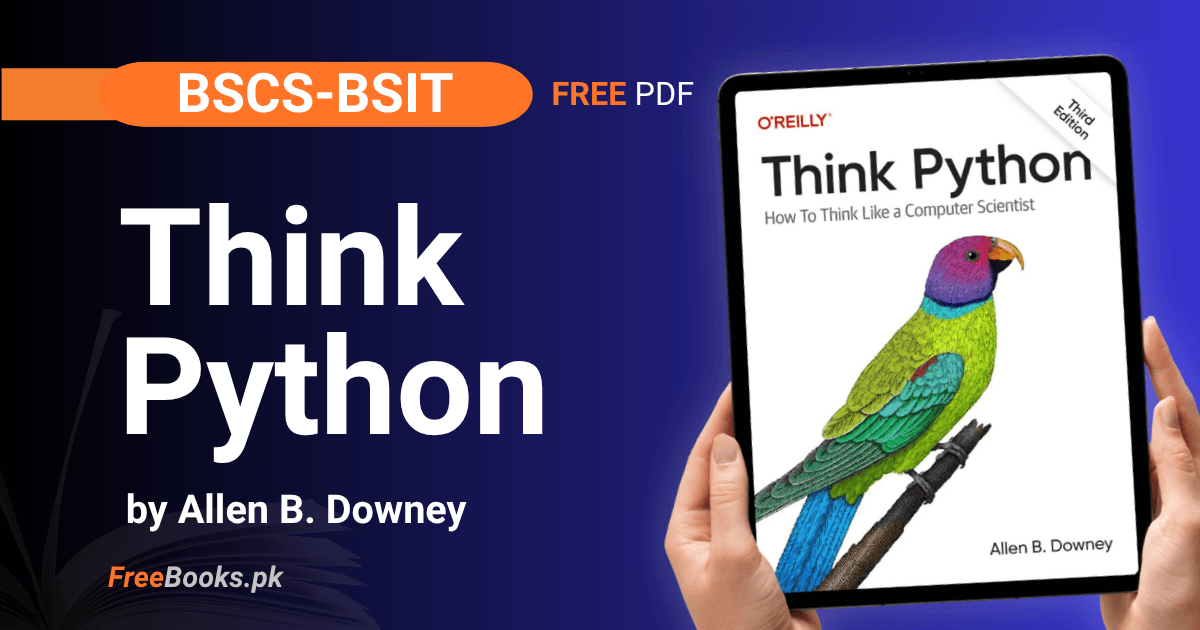
BSCS, BSIT and BSSE students can read and download the complete third edition of “Think Python” by Allen B. Downey, published by Green Tea Press. The book is free under a Creative Commons licence and covers the full Programming Fundamentals course taught at Pakistani universities.
The third edition is written entirely as Jupyter notebooks, so every chapter can be opened in Google Colab and run in the browser without installing anything. Nineteen chapters take you from arithmetic and variables to classes, inheritance and text analysis, and each one ends with a Debugging section, a glossary and exercises — which is what makes it work for self-study as well as sessional and final preparation.
Book Overview
| Course | Programming Fundamentals |
| Level | University / BSCS |
| Edition | 3rd Edition (2nd Edition also linked below) |
| Author | Allen B. Downey |
| Publisher | Green Tea Press |
| Language | English |
| Total Chapters | 19 (plus Preface) |
| License | CC BY-NC-SA 4.0 (text), MIT (code) |
| Format | Jupyter notebooks, HTML and Colab (free) |
Chapter List
Chapter 1: Programming as a Way of Thinking
Difficulty: Easy · Key topics: arithmetic operators, expressions, values and types, formal languages
The book opens by using Python as a calculator. It introduces the arithmetic operators, including integer division and exponentiation, then explains what an expression is and how every value has a type — integer, floating-point or string. Built-in functions such as round, abs, len and type appear here, along with string concatenation. The chapter closes by comparing formal languages, where syntax is strict, with natural languages, where ambiguity is normal, and by setting the tone for debugging: bugs are expected, and the useful response is a calm one.
Key Points:
- Operators are + – * / with two extras: // for integer division and ** for exponentiation.
- An expression is evaluated to produce a value; type() tells you whether that value is int, float or str.
- Strings join with + (concatenation) and repeat with * — the same symbols behave differently by type.
- Python is a formal language: one wrong character is a syntax error, and the program does not run at all.
- Built-in functions introduced here: round, abs, len, type, int and float.
Practice Tip: This chapter is meant to be run, not read. Open it in Colab and change one number or operator in every example — seeing 7/2 give 3.5 and 7//2 give 3 teaches the difference faster than the paragraph explaining it.
Common Mistake: Expecting / to return a whole number. In Python 3 division always produces a float, so use // when you want the integer part.
Important Questions:
- What is the difference between / and // in Python? The / operator performs true division and returns a float, while // performs integer division and discards the fractional part.
- Why is Python called a formal language? Because its syntax rules are exact and allow no ambiguity — a statement is either well-formed or it is a syntax error, unlike natural language where meaning survives small mistakes.
Chapter 2: Variables and Statements
Difficulty: Easy · Key topics: assignment, variable names, import, print, three kinds of error
This chapter introduces variables and the assignment statement, using state diagrams to show a name pointing at a value. It gives the rules for legal variable names, then draws the distinction the rest of the book depends on: an expression has a value, while a statement has an effect. The import statement and the dot operator arrive here, so math.sqrt and math.pi become available, along with the print function and its arguments, and comments. The Debugging section separates the three kinds of error a program can have.
Key Points:
- An assignment statement creates a variable and makes it refer to a value.
- Names may contain letters, digits and underscores, cannot start with a digit, and cannot be a Python keyword.
- An expression has a value; a statement has an effect. Python evaluates the first and executes the second.
- import brings in a module, and the dot operator reaches inside it: math.sqrt, math.pi.
- print accepts several arguments separated by commas; anything after # on a line is a comment.
Memory Tip: Three kinds of error, in the order they bite you — a syntax error means the program never starts, a runtime error means it starts and then crashes, and a semantic error means it runs perfectly and gives the wrong answer. Only the third one Python cannot warn you about.
Common Mistake: Assuming that “no error message” means “correct program”. A semantic error produces no message at all, which is exactly why the output has to be checked by hand.
Important Questions:
- What is the difference between a syntax error, a runtime error and a semantic error? A syntax error stops the program before it runs, a runtime error (exception) stops it while running, and a semantic error lets it run to completion but produces the wrong result.
- What is the difference between an expression and a statement? An expression is evaluated and produces a value; a statement is executed and produces an effect, such as creating a variable or printing output.
Chapter 3: Functions
Difficulty: Medium · Key topics: def, parameters and arguments, local variables, stack diagrams, tracebacks
Here the book moves from calling functions to writing them. A function definition has a header ending in a colon and an indented body, and the four-space indentation is treated as a rule rather than a preference. Parameters are the names in the definition, arguments are the values passed in, and both are local to the function. Stack diagrams show the frames that exist during a call, which is what makes a traceback readable when something goes wrong. The chapter also covers repetition with a for loop and range, and argues why breaking a program into functions is worth the effort.
Key Points:
- A function definition starts with def, a header ending in a colon, and an indented body.
- Parameters are the names inside def; arguments are the values supplied at the call.
- Variables created inside a function are local — they do not exist once the function returns.
- A stack diagram shows one frame per active function call; a traceback prints those frames when an error occurs.
- A for loop with range repeats a block a fixed number of times.
Practice Tip: Read a traceback from the bottom up. The last line names the error, and the lines above it show the chain of calls that led there — that order is the fastest way to find which of your functions actually broke.
Common Mistake: Writing a lot of code before running any of it. The chapter is blunt about this: long debugging sessions usually mean too much was written before the first test.
Important Questions:
- What is the difference between a parameter and an argument? A parameter is the name listed in the function definition; an argument is the actual value passed to the function when it is called.
- Why can a local variable not be used outside its function? Because it exists only inside the frame created for that call, and the frame disappears when the function returns.
Chapter 4: Functions and Interfaces
Difficulty: Medium · Key topics: turtle graphics, encapsulation, generalization, refactoring, docstrings
Using the jupyturtle module, this chapter turns drawing into a lesson on designing functions. A square drawn with repeated forward and left calls is wrapped into a function (encapsulation), then given parameters so it can draw any polygon (generalization), and finally reorganised so a circle can be approximated with an arc (refactoring). Along the way it introduces keyword arguments, docstrings, and the idea of an interface: what a function needs from its caller and what it promises in return, expressed as preconditions and postconditions.
Key Points:
- Encapsulation means wrapping working code in a function; generalization means adding parameters so it handles more cases.
- Keyword arguments name the parameter at the call site, which makes long argument lists readable.
- Refactoring rearranges code to improve its structure without changing what it does.
- A docstring is a triple-quoted string at the top of a function explaining its interface.
- Preconditions are what the function assumes; postconditions are what it guarantees.
Practice Tip: Do the three steps separately — get the square drawing, then wrap it in a function, then add the parameter. Trying to write the general version first is what makes this chapter feel hard.
Common Mistake: Blaming the function when a precondition is violated. The book states it plainly: if the caller breaks a precondition, the bug is in the caller, not in the function.
Important Questions:
- What is the difference between encapsulation and generalization? Encapsulation puts existing code inside a function; generalization adds parameters so that function works for a range of inputs instead of one fixed case.
- What is a docstring and why is it used? It is a string at the start of a function that documents the interface — what arguments the function takes and what it does — so callers do not have to read the body.
Chapter 5: Conditionals and Recursion
Difficulty: Medium · Key topics: modulus, boolean expressions, if / elif / else, recursion, base case
The chapter starts with integer division and the modulus operator, then builds boolean expressions from relational operators and combines them with and, or and not. Conditional statements follow: a plain if, an else clause, chained conditionals with elif, and nested conditionals. The second half introduces recursion, where a function calls itself, and uses stack diagrams to show why a base case is essential and what infinite recursion looks like. Keyboard input with input() closes the chapter, along with a warning about where error messages really point.
Key Points:
- The modulus operator % gives the remainder; it is the standard test for divisibility.
- Relational operators (==, !=, <, >, <=, >=) produce boolean values, combined with and, or, not.
- A conditional statement runs an indented block only when its condition is true; elif chains alternatives.
- A recursive function calls itself and must have a base case that stops the recursion.
- input() always returns a string, so numeric input needs int() or float() around it.
Memory Tip: Every recursive function needs exactly two things: a base case, and a call that moves closer to it. Miss either one and you get infinite recursion — that is the whole checklist.
Common Mistake: Trusting the line number in an error message. The chapter warns that a message shows where the problem was discovered, not where it started — an integer division that quietly produced 0 earlier may only surface later as a “math domain error”.
Important Questions:
- What is a base case in recursion? The condition under which the function returns without calling itself again, which is what allows the recursion to end.
- What does the modulus operator do? It returns the remainder after division, so x % y == 0 tests whether x is divisible by y.
Chapter 6: Return Values
Difficulty: Medium · Key topics: return, None, pure functions, incremental development, Fibonacci
This chapter separates functions that return a value from those that only have an effect. A function without a return statement returns None, which is why its result cannot be used in an expression. Incremental development is introduced as a working method: write a few lines, test, add scaffolding print statements, then remove them. Boolean functions, recursion that returns values, the leap of faith for reading recursive code, Fibonacci and Ackermann all appear, and the chapter ends with type checking using isinstance to keep bad arguments out.
Key Points:
- return sends a value back to the caller and ends the function immediately.
- A function with no return statement returns None — useful to know when a result “disappears”.
- Every path through a set of conditionals must reach a return, or some calls silently return None.
- A pure function has no effect other than returning a value; dead code after a return never runs.
- isinstance() validates argument types and prevents infinite recursion caused by unexpected input.
Practice Tip: Develop in small steps and keep scaffolding print statements while you build, then delete them once the function works. The chapter treats this as the method, not as a beginner’s crutch.
Common Mistake: Putting the return inside only one branch of an if. The other paths then return None, and the failure appears somewhere else in the program.
Important Questions:
- What does a function return if it has no return statement? None — which is why using its result in an arithmetic or string expression raises an error.
- What is a pure function? A function that only computes and returns a value, without modifying its arguments or having any other effect.
Chapter 7: Iteration and Search
Difficulty: Medium · Key topics: for loops over strings, augmented assignment, counters, in, linear search
Iteration is applied to real data here: the chapter loops over the characters of a string and over the lines of a word list read from a file. It introduces the loop variable, file objects from open(), the readline and strip methods, and the update pattern where a variable’s new value depends on its old one. Augmented assignment operators shorten that pattern, the counter idiom counts matches, the in operator tests membership, and linear search is written as a function. The chapter ends with doctest, which turns examples in a docstring into automatic tests.
Key Points:
- The loop variable is created in the for header and takes each element in turn.
- open() returns a file object; readline() reads one line and strip() removes the whitespace around it.
- An update assignment such as count = count + 1 can be written as count += 1.
- A counter must be initialised before the loop and incremented inside it.
- Linear search walks the sequence until it finds a match; doctest runs the examples in a docstring as tests.
Practice Tip: Write the doctest examples before the function body. It forces you to decide what the function should return for a simple input, and the tests then run themselves.
Common Mistake: Putting both return statements inside the loop. The book calls this a common error — the function then decides on the first element instead of checking all of them, so a “not found” answer arrives far too early.
Important Questions:
- What is a counter and how is it used? A variable initialised to zero before a loop and incremented inside it, so that after the loop it holds the number of matches found.
- What does a linear search do? It examines the elements of a sequence one after another until it finds the target or reaches the end.
Chapter 8: Strings and Regular Expressions
Difficulty: Hard · Key topics: indexing, slices, immutability, string methods, the re module
A string is presented as a sequence of characters that can be indexed, starting at zero, and sliced with the [n:m] operator. The chapter then makes the point that strings are immutable: methods such as upper, strip and replace return new strings and leave the original untouched. String comparison, writing files, and find-and-replace lead into regular expressions with the re module, where search and sub handle patterns built from special characters such as |, ^, $ and ?. The Debugging section is about working with files safely.
Key Points:
- Indexing starts at 0, and a negative index counts back from the end of the string.
- A slice [n:m] includes the character at n and excludes the one at m.
- Strings are immutable — every “modifying” method actually returns a new string.
- Common methods: upper, strip, replace, count, startswith, endswith; in tests for a substring.
- re.search finds a pattern and re.sub replaces it; | means alternation, ^ and $ anchor to start and end.
Memory Tip: Read a slice as “from n, up to but not including m”. That single phrase settles almost every off-by-one question about slices.
Common Mistake: Calling a string method and expecting the string to change. It does not — the result has to be assigned, as in word = word.replace(“a”, “b”).
Important Questions:
- What does it mean that strings are immutable? An existing string cannot be changed in place; operations that appear to modify it return a new string instead.
- What does the slice operator do? It extracts a substring from one index up to, but not including, another.
Chapter 9: Lists
Difficulty: Hard · Key topics: mutability, list methods, aliasing, references
Lists are introduced as sequences that can hold values of any type, including other lists, and unlike strings they are mutable. The chapter covers the operators lists share with strings, the methods that modify them — append, extend, pop, remove — and the split and join pair that converts between strings and lists. The second half is about references: two names can refer to the same list (aliasing), so a change through one name is visible through the other, and the is operator distinguishes identical objects from merely equivalent ones.
Key Points:
- Lists are mutable: elements can be replaced, added or removed after the list is created.
- + concatenates, * repeats, in tests membership, and lists can be nested inside lists.
- == asks whether two lists are equivalent; is asks whether they are the same object.
- Aliasing means two variables refer to one list, so modifying it through either name affects both.
- split() turns a string into a list of words; join() turns a list back into a string.
Memory Tip: sorted() hands you a new list, list.sort() rearranges the one you already have. The same split runs through the chapter: string methods return values, list methods usually change the list.
Common Mistake: Writing t = t.remove(3). Most list methods modify the list and return None, so this replaces the list with None and the next operation fails with an AttributeError.
Important Questions:
- What is aliasing? When two or more variables refer to the same list object, so a change made through one variable is visible through the others.
- What is the difference between a list and a string in Python? Both are sequences, but a list is mutable and can hold values of any type, while a string is immutable and holds characters.
Chapter 10: Dictionaries
Difficulty: Hard · Key topics: mapping, keys and values, counters, memoization
A dictionary maps keys to values, and this chapter builds it up from an empty dictionary to a working word-counting program. Lookup and assignment both use bracket notation, the in operator checks keys rather than values, and get() returns a default instead of raising an error. Keys have to be hashable, which is why a list cannot be one. The chapter then uses dictionaries as collections of counters, as accumulators, and finally as memos: storing computed results so a recursive Fibonacci stops recalculating the same values.
Key Points:
- A dictionary is a mapping from keys to values; each key-value pair is called an item.
- d[key] both assigns and looks up; the in operator checks whether a key is present.
- Keys must be hashable, which in practice means immutable — a list cannot be a key.
- get(key, default) returns a fallback instead of raising an error for a missing key.
- A memo is a stored result reused later, which turns exponential recursion into a fast function.
Memory Tip: Memoization is just “remember what you already worked out”. Fibonacci without a memo recomputes the same values again and again; with a memo, each value is computed once.
Common Mistake: Looking up a key that may not exist with d[key], which raises a KeyError. Either check with in first or use d.get(key, default).
Important Questions:
- Why can a list not be used as a dictionary key? Because keys must be hashable and a list is mutable, so its hash value could change after it was stored.
- What is a memo in programming? A previously computed result stored in a dictionary so it can be looked up instead of computed again.
Chapter 11: Tuples
Difficulty: Medium · Key topics: immutable sequences, tuple assignment, packing and unpacking, zip
Tuples behave like lists but cannot be changed, and that single difference drives the chapter. Tuple assignment allows several variables to be set in one statement, which is how functions return more than one value — divmod returning a quotient and remainder is the standard example. The * operator packs loose arguments into a tuple and unpacks a sequence back into arguments. zip pairs up elements from several sequences and enumerate supplies indices, both of which produce tuples. Because tuples are immutable they can serve as dictionary keys, and the chapter uses that to invert a dictionary.
Key Points:
- A tuple is an immutable sequence, written with commas and usually enclosed in parentheses.
- A one-element tuple needs a trailing comma: (‘a’,) is a tuple, (‘a’) is just a string.
- Tuple assignment sets several variables at once and swaps values without a temporary variable.
- * packs arguments into a tuple in a definition, and unpacks a sequence into arguments at a call.
- zip pairs elements from two sequences; enumerate yields index and element together.
Memory Tip: Square brackets, mutable, list. Parentheses, immutable, tuple. That immutability is exactly why a tuple can be a dictionary key and a list cannot — the two facts are the same fact.
Common Mistake: Forgetting the trailing comma in a single-element tuple, so what looks like a tuple is really just the value in brackets.
Important Questions:
- Why can a tuple be a dictionary key when a list cannot? Because a tuple is immutable and therefore hashable, so its hash value stays fixed while it is stored in the dictionary.
- What does the zip function do? It takes two or more sequences and produces a series of tuples, each holding one element from each sequence.
Chapter 12: Text Analysis and Generation
Difficulty: Hard · Key topics: word frequencies, optional parameters, random choice, bigrams, Markov analysis
This is the first large applied chapter. It cleans a text by stripping punctuation with the help of unicodedata, counts unique words and builds a frequency dictionary, then introduces optional parameters and dictionary subtraction to compare vocabularies. Randomness arrives with random.choice and the weighted random.choices, which allow words to be drawn in proportion to how often they occur. The chapter then defines bigrams and n-grams, maps each prefix to the words that follow it, and uses that map for Markov text generation. Its Debugging section describes six complementary strategies rather than one.
Key Points:
- Punctuation can be removed by checking Unicode character categories rather than listing symbols by hand.
- A frequency dictionary maps each word to the number of times it appears in a text.
- Optional (default) parameters let one function serve several call patterns.
- random.choice picks uniformly; random.choices accepts weights so common words are picked more often.
- A bigram is a pair of consecutive words; Markov analysis maps each prefix to its possible successors.
Memory Tip: The chapter’s Six R’s of debugging — reading, running, ruminating, rubber duck debugging, retreating, resting. When you are stuck, the useful question is which of the six you have not tried yet.
Common Mistake: Debugging by running experiments alone, without reading the code or thinking about what it should do. The book names this as the habit that keeps beginners stuck.
Important Questions:
- What is a bigram? A pair of words that appear next to each other in a text; n-grams generalise this to sequences of n words.
- How does Markov text generation choose the next word? It looks at the recent prefix, finds the words that followed that prefix in the source text, and picks one of them at random.
Chapter 13: Files and Databases
Difficulty: Hard · Key topics: paths, f-strings, YAML, shelve, hashing, walking directories
Data that outlives a program is the subject here. The chapter separates ephemeral from persistent storage, then works through filenames and paths using the os module — getcwd, abspath, listdir, exists, isdir, isfile, join and makedirs — and the difference between relative and absolute paths. f-strings are introduced for building filenames and messages. Storage options follow: YAML for readable configuration and serialized data structures, and the shelve module, which behaves like a dictionary kept on disk. The chapter ends with comparing files by MD5 digest and walking a directory tree recursively.
Key Points:
- An absolute path starts from the root; a relative path starts from the current working directory.
- f-strings embed expressions directly in a string using curly braces.
- Serialization turns a data structure into text (YAML) so it can be stored and read back later.
- shelve gives a dictionary-like database stored in a file, using the same bracket notation.
- Reading files in binary mode and hashing them with hashlib.md5 detects identical files.
Memory Tip: Ephemeral versus persistent is the whole chapter in two words — variables die when the program ends, files and shelves do not.
Common Mistake: Assuming a path that works on one machine works everywhere. The book warns about invisible whitespace, the newline difference between operating systems, and Windows treating filename capitalisation differently from UNIX systems.
Important Questions:
- What is the difference between a relative and an absolute path? An absolute path specifies a file’s location from the root of the filesystem; a relative path specifies it starting from the current working directory.
- What is serialization? Converting a data structure into a format that can be written to a file, so it can later be read back (deserialized) into the same structure.
Chapter 14: Classes and Functions
Difficulty: Hard · Key topics: programmer-defined types, attributes, pure functions, prototype and patch
Object-oriented programming begins here with a class definition creating a new type, and instantiation creating an object that belongs to it. Attributes are the variables stored inside an object, drawn in object diagrams the same way state diagrams were drawn earlier. The chapter then compares two styles of writing functions that work with objects: impure functions that modify their arguments, and pure functions that return new objects instead. Two development methods are contrasted — prototype and patch, where a rough version is fixed as problems appear, and design-first development, where the plan comes first.
Key Points:
- A class definition creates a new type; instantiation creates an instance of that type.
- Attributes are variables that belong to an object and are reached with the dot operator.
- A pure function does not modify its parameters and has no effect other than returning a value.
- Format specifiers inside f-strings control how values are printed, for example :02d for two digits.
- Prototype and patch starts with a rough draft; design-first development plans before coding.
Practice Tip: When an object confuses you, interrogate it instead of guessing: type() for its class, isinstance() to test it, hasattr() to check an attribute, vars() to see everything it holds.
Common Mistake: Modifying an object inside a function and being surprised when the caller’s object changes too. Prefer a pure function that returns a new object when the original is still needed.
Important Questions:
- What is the difference between a class and an instance? A class is the programmer-defined type itself; an instance is one object created from that class, with its own attribute values.
- What makes a function pure? It computes and returns a value without modifying its arguments or producing any other side effect.
Chapter 15: Classes and Methods
Difficulty: Hard · Key topics: methods, the receiver, __init__, __str__, operator overloading
The functions of the previous chapter are rewritten as methods defined inside the class, invoked on a receiver rather than passed an object as an argument. Static methods are introduced for the cases where no instance is needed. The chapter then covers the special methods whose names begin and end with double underscores: __init__ to initialise attributes when an object is created, __str__ to control how the object prints, and __add__ to make the + operator work on objects, which is operator overloading. The Debugging section is about invariants and using assert to check them.
Key Points:
- A method is a function defined inside a class and called on an object with dot notation.
- The receiver is the object the method is invoked on, conventionally named self in the definition.
- __init__ runs when an object is created and sets up its attributes.
- __str__ returns the string form of an object, which print uses.
- Operator overloading gives operators such as + a meaning for your own types through __add__.
Memory Tip: The dunder name tells you which built-in behaviour you are defining: __init__ builds the object, __str__ displays it, __add__ adds it.
Common Mistake: Letting an object hold values that should be impossible — a Time whose minute or second is outside 0 to 60. The book’s answer is to state the invariant and check it with assert.
Important Questions:
- What is the receiver of a method? The object the method is called on, which is passed automatically as the first parameter, named self by convention.
- What is operator overloading? Defining special methods such as __add__ so that built-in operators work with programmer-defined types.
Chapter 16: Classes and Objects
Difficulty: Hard · Key topics: equivalence and identity, deep copy, polymorphism
This chapter builds Point, Line and Rectangle classes and uses them to work through object relationships. Defining __eq__ lets you decide when two objects count as equal, which separates equivalence from identity — the difference between == and is. Copying is treated carefully: a shallow copy duplicates the outer object but shares whatever it contains, while deepcopy duplicates the whole structure. The chapter ends with polymorphism, where different types provide the same methods and one function can work with all of them.
Key Points:
- __eq__ defines when two objects of your class are considered equivalent.
- == compares values as your class defines them; is asks whether two names point at the same object.
- A shallow copy shares the objects held inside; deepcopy copies them as well.
- An impure method such as translate() changes the object; a pure one such as translated() returns a new object.
- Polymorphism means different types provide the same methods, so one function handles all of them.
Memory Tip: A shallow copy copies the box; a deep copy copies the box and everything inside it.
Common Mistake: Sharing an embedded object between two “copies” and then modifying it — both change. Use deepcopy, or work with pure functions that return new objects.
Important Questions:
- What is the difference between == and is? == tests whether two objects are equivalent according to the class definition; is tests whether they are the same object in memory.
- What is the difference between a shallow copy and a deep copy? A shallow copy duplicates only the outer object and shares its contents; a deep copy duplicates the contained objects too.
Chapter 17: Inheritance
Difficulty: Hard · Key topics: parent and child classes, class variables, comparison methods, delegation
Inheritance is developed through a deck of cards. Cards encode suits and ranks as numbers, class variables hold the names used for printing, and the comparison special methods — __eq__, __lt__ and the rest — let cards be compared and sorted by comparing tuples. A Deck class then adds, removes, shuffles and sorts cards, and delegation is used to pass work from one method to another. A Hand class defined as a child of Deck introduces specialization, the parent-child relationship and method resolution order, along with the Liskov substitution principle.
Key Points:
- Inheritance defines a new class based on an existing one, which inherits its methods.
- A class variable is defined inside the class but outside any method, and is shared by all instances.
- Defining __lt__ and the other comparison methods makes objects sortable.
- Delegation means a method does its job by calling another method rather than repeating code.
- Specialization creates a child class that behaves like its parent but adds or overrides behaviour.
Memory Tip: A child class starts with everything the parent has and then adds or overrides — so read the parent first, then only the differences in the child.
Common Mistake: Losing track of which class a method actually comes from. The book warns that inheritance scatters definitions, and suggests tracing with print statements or looking up the defining class.
Important Questions:
- What is a class variable? A variable defined in the class body rather than inside a method, shared by every instance of the class.
- What is delegation? When a method performs its task by calling another method or object instead of implementing the behaviour again.
Chapter 18: Python Extras
Difficulty: Medium · Key topics: sets, Counter, defaultdict, comprehensions, namedtuple
This chapter collects the Python features that make earlier programs shorter. Sets hold unique elements and support union, subtraction and subset tests. Counter, from the collections module, counts elements and reports the most common ones. defaultdict supplies a value automatically for a missing key. Conditional expressions compress a small if-else into one line, list comprehensions build a list in a single expression with optional filtering, and generator expressions do the same without storing the intermediate list. The chapter closes with any and all, namedtuple, and packing keyword arguments.
Key Points:
- A set stores unique elements and supports union, subtraction and subset tests.
- Counter counts occurrences and most_common() returns them in order.
- defaultdict creates a default value for a missing key using a factory function.
- A list comprehension builds a list in one expression, with an optional if to filter it.
- A generator expression looks the same but produces values on demand instead of building a list.
Practice Tip: Take a loop you wrote in an earlier chapter and rewrite it as a comprehension, then keep whichever version you would rather read six months from now.
Common Mistake: Reaching for a set when order or repeats matter — a set silently drops duplicates and keeps no order.
Important Questions:
- What is a list comprehension? A single expression that builds a list from a sequence, optionally filtering elements with an if clause.
- What does defaultdict do? It returns a default value, created by a factory function, whenever a missing key is accessed, instead of raising a KeyError.
Chapter 19: Final Thoughts
Difficulty: Easy · Key topics: what to study next, debugging habits, tools and community
The closing chapter is a short guide to what comes after the book. It points readers towards data structures and algorithms as the natural next subject, and lists the author’s other free books for particular interests: Think Stats and Think Bayes for data science, Think DSP for signal processing, and Modeling and Simulation in Python and Think Complexity for modelling. Fluent Python is recommended for deeper Python knowledge. The chapter also revisits the Six R’s of debugging, suggests moving from Colab to an editor or IDE such as VS Code, PyCharm, Spyder or Thonny, comments on using AI assistants, and encourages joining a user group or conference.
Key Points:
- Data structures and algorithms is the recommended next course after this book.
- Downey’s other free books cover statistics, Bayesian methods, signal processing, modelling and complexity.
- The Six R’s of debugging and incremental development remain the working method.
- Colab is for learning; an editor or IDE such as VS Code or PyCharm is the next step.
- Learning a second language, particularly a functional one, is suggested to broaden your thinking.
Important Questions:
- What should you study after Think Python? Data structures and algorithms, followed by a specialised area such as statistics, data science or simulation depending on your interest.
- What are the Six R’s of debugging? Reading, running, ruminating, rubber duck debugging, retreating and resting — six strategies to switch between when you are stuck.
Download Think Python (3rd Edition) – Free
This book is free from its official source. Click below to read the complete book online — every chapter is a notebook that runs in your browser through Google Colab, so nothing has to be installed.
↓ Read Think Python 3rd EditionOlder edition: the second edition is still used in some course outlines and is available as a single PDF.
↓ Think Python 2nd Edition PDFWe link to the official free copy so you always get the latest, complete and safe version.
How to Study This Book
Run the book, do not just read it. Every chapter is a Jupyter notebook with a Colab link, so open it in the browser and execute each example. The third edition is built around this, and reading it as static text removes most of its value.
Foundation (Chapters 1–7): arithmetic and variables, functions, conditionals, recursion, return values and iteration. Everything later assumes these, and Chapters 3 and 5 are where most students first slow down — give them extra time.
Data structures (Chapters 8–13): strings, lists, dictionaries and tuples, then the two applied chapters on text analysis and files. Chapter 9 and Chapter 10 carry the ideas that university papers ask about most often: mutability, aliasing and dictionaries as counters.
Object-oriented programming (Chapters 14–17): these four build directly on one another, so do not jump to Inheritance before finishing Classes and Methods.
Read every Debugging section. Each chapter ends with one, and they describe the exact errors students actually make — list methods returning None, returns inside loops, misleading error messages. They are short, and they save hours.
Chapter 18 is a reference, Chapter 19 is a map. Come back to Python Extras when you want shorter code, and use Final Thoughts to choose what to study next.
Used In These Programs
This book is used for the Programming Fundamentals course in BSCS, BSIT and BSSE programs. Browse everything tagged BSCS or Programming, or the full Computer Science books section.
Who Should Read This
Written for complete beginners taking their first programming course, and for students who already know C++ or Java and want Python quickly. No prior programming is assumed and no software has to be installed, so it also suits self-study learners working from a laptop or a shared computer lab. Students revising for a Programming Fundamentals paper will find the end-of-chapter exercises and Debugging sections closest to what actually gets asked.
Applicable Universities
This book is used at Pakistani universities offering BSCS, BSIT and BSSE, including Punjab University, Virtual University, COMSATS, FAST, UET and other HEC-recognized institutions, wherever Python is the first programming language.
FAQs
Is Think Python free to download?
Yes. The complete book is free from the author’s official site under a Creative Commons BY-NC-SA 4.0 licence; printed and eBook copies are sold separately.
Which edition is this?
The third edition, written as Jupyter notebooks. The second edition PDF is also linked above for anyone whose course still follows it.
Do I need to install Python to use this book?
No. Every chapter opens in Google Colab and runs in the browser, which is what the author recommends for beginners.
Is it suitable for absolute beginners?
Yes. It assumes no prior programming and starts from arithmetic and variables, though the pace picks up sharply from Chapter 8 onwards.
Does it cover object-oriented programming?
Yes, Chapters 14 to 17 cover classes, methods, objects and inheritance, including special methods and operator overloading.
Can BSIT and BSSE students use it?
Yes. Programming Fundamentals is shared across these programs, and the syllabus overlap is almost complete.
Think Python earns its reputation by keeping every chapter short, practical and testable — concept, example, debugging note, exercises. Open the book above, run the first chapter in Colab, and work forward one notebook at a time. For more titles from the same semester, visit our Computer Science books section.
Think Python (3rd Edition) by Allen B. Downey, Green Tea Press. Free under a Creative Commons Attribution-NonCommercial-ShareAlike 4.0 International licence; code under the MIT licence. Official source: allendowney.github.io/ThinkPython
Related Books
- Database Management System PDF Download – BSCS University
- Object Oriented Programming Using C++ PDF Download – IT Series BSCS
- Key Book to OOP C++ Programming Exercises PDF Download – IT Series BSCS
- The Concepts of Information Technology PDF Download – IT Series (2nd Edition)
- Operating Systems and Networks PDF Download – IT Series BSCS (5th Edition)
- Data Structures in C++ PDF Download – Aikman Series BSCS
© Copyright Policy
Freebooks.pk is an educational resource for students in Pakistan. Textbooks and other books belong to their respective boards, authors and publishers, and all rights remain with them. If you are the copyright holder of any material on this page and want it changed or removed, please contact us or file a request under our DMCA policy. We review every request and remove reported content promptly.